Home inkjet printers and their ilk have for a while now embodied the best and worst of the technological state of the union, as it were. Simply put, they are mainstream products with incredibly high-end engineering, but also represent a ludicrously false economy in the worst way. And for a decade, printer companies having been laughing all the way to the bank at our expense.
Let me state that I once was unabashedly passionate about my now aged Canon i70 photo printer. It is compact (in fact portable if you buy a battery for it), fast, prints remarkably great images up to 8 x 10, and does documents too at a respectably brisk clip. When digital cameras first appeared, I’d spend weekends cooped up with my photo-spewing friend, printing out scores of crisp, colorful masterpieces to shove in the face of anyone who would look. “Isn’t it amazing! I printed it myself!” I would crow, impressed not only with my handiwork, but more with how I stuck it to the man by not paying for pricey store-made prints. Then I’d run to Staples to load up yet again on $40 worth of ink cartridges.
And there’s the rub. Printers are sold using the razor blade business model—the printers are dirt cheap, but you have to keep buying ink for eternity. And wouldn’t you know, it turns out that printer ink, especially for photos, is probably the most expensive substance per volume you’ll ever buy—more expensive than gold, oil, perfume, even blood in most cases. If you’re buying name-brand ink cartridges, which typically hold a few milliliters of ink, you’re shelling out the equivalent of between $3,000 and $5,000 per gallon. (Suddenly, spending $45 to fill your car’s gas tank doesn’t seem so extravagant, eh?) Just as an idea of how valuable this particular golden goose is, more than 40 percent of HP’s $2.63 billion operating profits from last quarter came from it’s imaging and printing group alone. In other words, ink keeps printer companies in the black.
No surprise, then, that to stave off competition from low-cost generic refill cartridges, the industry giants circled their wagons and began putting chips into their printers and cartridges to make it so that you had to buy their brand. Lawsuits on both sides havesince raged fast and free: Canon sued (and won) to keep refilled cartridges from being sold in Japan without Canon ink; HP sued and won for patent infringement against a company that made replacement cartridges. Epson, however, settled a lawsuit claiming their cartridges intentionally signaled they needed replacement when they still had ink left. And more recently one man filed a class-action suit claiming that HP illegally colluded with Staples by giving them a $100 million “bribe” not to carry low-cost replacement ink. It’s sordid stuff, but at this point it’s almost irrelevant for me.
Even at barebones prices, it’s now far cheaper to order prints through Flickr, Shutterfly or iPhoto, or if you need them in a hurry, from your local Wal-Mart, Walgreens or even mom-and-pop photo store. At my local drugstore, a small chain, if you order more than 100 prints, they’re 15 cents each and available in a couple hours on archival paper with archival ink. And I can put my order through online. Compare that with the cost of photo paper, ink (which in my case, by the way, has to be used at least once every couple weeks or it dries out) and the time involved, and my venerable i70 simply can’t compete.
So I’ve put my printer out to pasture for a couple years now, and I haven’t looked back. Hit the comments section if you’ve experienced similar, or have a solution I’ve overlooked (an obvious one being the decline in printed photos in general). And feel free to nominate other tech you think is moribund to add to my Deathwatch List.
138 years of Popular Science at your fingertips.
Each issue has been completely reimagined for your iPad. See our amazing new vision for magazines that goes far beyond the printed page
Stay up to date on the latest news of the future of science and technology from your iPhone or Android phone with full articles, images and offline viewing
Featuring every article from the magazine and website, plus links from around the Web. Also see our PopSci DIY feed
A 10,000-rpm, no-pulse heart is completely revolutionizing how we think about transplants. Plus: rapid-response virus hunters, a shocking cure for migraines, the world's youngest person to have achieved nuclear fusion (in his parents' garage!), and much more.
With the introduction of digital picture frames, the whole notion of paper photos may be heading to archival graveyard (with a plot reserved next to carbon paper). A computer has pretty much replaced a photo album, and proud fathers can keep pics of their kids on mobile phones instead of in an accordion-style wallet inserts.
How about those of us who print using our inkjet printers. It is not economically feasible to do that printing on flickr or walmart etc. In that case the inkjet is still very much in the picture. I know that supposedly laserjet is cheaper but given my printer and the amount of pages I can print from one inkjet cartridge and compare that to the cost of laserjet toner the inkjet costs about half as much. I think I will just hold onto my printer for now. I have never printed a photo on it anyway and don't plan on doing so in the near future. I also use the same cartridges you show there with my HP Officejet Pro K550 and it works out just fine.
from Findlay, Oh
I use to think that printing at home was saving me money. But had a relative in town and need to make a print quickly. And of course was out of paper. Went to my local Wal Mart and using their scanner made a 4x6 print using their photoshop software to correct color and crop for the huge price of 28 cents. My photo printing days at home have ended.
But I don't see a time in the near future when a person won't need a scanner/printer for confidential documents.
rhomp2002 you need to try a laser printer, your inkjet cartrige does not in any way compare to a laser toner cartrige. I have had my laser printer for 6 years and I am still using the original cartrige. I have also just started my 3rd case (thats 10 packs/case) of paper. If your inkjet can come anywhere near 1 pack per cartrige I would be surprised. Save some money and go laser, better enviromentaly too.
I was a victim of the inkjet racket. I had two HP Deskjet printers - the all-in-one kind. Fax, scan, print. Worked great, except the ink was a total scam. For one thing, if you try to conserve ink, the ink would dry out or expire. Then, buying new ink was so expensive! And HP did a fine job of making it darn near impossible to buy generic cartridges.
The bottom line is, if you print photos, you are better off sending them to Costco, which is what I do. At 17 cents per photo, it's a deal.
No paper or ink worries. So now, I have a laser printer for documents, and if I have to print photos, I send them to Costco and pick them up an hour later.
Color inkjet printers are really a scam. I just can't believe I fell for it!
I was never tempted to get on the inkjet bandwagon. I've been using laser printers since they were close to $2000 (my most recent purchase was about $40, after rebate). Admittedly, I do mostly monochrome, but the prospect of fighting with clogged cartridges and runny prints, and paying a fortune to do so, never caught my interest. Right now, the stable here consists of a Brother monochrome laser for the high-volume stuff, a small Samsung laser for printing checks, and a neat little Canon Selphy dye-sublimation printer ($50 A/R) for making 4x6 photos when I'm in a hurry (about 25 cents each if you shop the supplies, and the dye-sub cartridges never dry out). If I want lots of photos and don't need immediate gratification, I'll put the files on a memory stick and stop by the local drug store; they're about 18 cents there.)
We've got an HP inkjet attached to my wife's PC, but it rarely gets turned on. Why bother, really.
from Grand Rapids, MI
I used to work as a retail employee at a major electronics store (the blue and yellow one). One gripe that I heard CONSTANTLY was that no one could even FIND the ink for an older printer. Granted technology is advancing at a breakneck pace but I had many customers looking for ink for a printer that was 2-3 years old and we simply didn't carry it anymore. Often they would come back and tell me the only place they could find it was online or one of those often-hard-to-find ink catridge stores. Many customers, however, would breakdown and upgrade further tightening the companies control over the resale of their products.
gswilkent
What kind of lazer printer doyou recommend & what was the initial cost.
Thanks in advance.
Polaroid may be returning soon to your home as a solution to this very problem. I just hope they're not too greedy about charging for the paper.
www.zink.com
My commercial printer was printing fine the other week and suddenly "ran out of ink". So rather then replacing the cartridge, i Swaped the stock that had the "chip" counter from the new to used cartridge, and it was back to printing fine again. Hmmm suddenly seems like we are only suppose to be able to print a select quantity of pages now. Quite silly in the consumer world to pay for something that runs out, before the tank empties.
My brother-in-law finds it more economical to just replace the printer every time it runs out of ink... He picks up a cheap lexmark for 30 bucks or so instead of paying 60 for new cartridges.
As an industry expert, I can tell you that the ink in a typical desktop printer cartridges costs the manufacturer from about one cent to a maximum of 25 cents. (Virtually all inkjet ink is purchased from independent ink manufacturers.)
Laser printers are not a good solution for printing photos, as the quality is inferior to inkjet and becomes worse with use.
Don B. I've had a Minolta pagepro 1350 mono for a couple years and a Brother also(not sure on model#). Both worked fine. Only paid 60 or 70 bucks for either one. USB connectivity but you can spend a little more for a network connection. I don't print much maybe 5 hundred copies total. Never had a problem with toner or had to replace. The Minolta is a big printer; twice as large as the Brother. Would not hesitate to purchase either brand again though.
I was also duped into the inkjet scam, but at least I've not been a big photo printer...just documents..Try going to tigerdirect.com for a printer. I do most of my business there.good prices. Hope this helps.
i am on my third laser and this one is color, the last were a compliment to the inkjet. one inkjet frustrated me more than most costing more then most but enabled me to print posters up to 18" wide but after 2 years hp retired the model and there simply was no ink to be had at any price. that prompted me to go with the color laser at only $200 and literally i can print cases of paper no longer do i measure ink life by the ream but by the case. my issue is when i print all the lights in the house go dim, the thing sucks up go juice more then any appliance i have ever seen. i never thought to put that figure into the cost per sheet but i stopped printing after rearranging my office my energy bills dropped. perhaps coincidence. thoughts from some experts.....
gswilkent:
Thanks!
how can you, americans be so naive? We buy here in romania 250 ml of no-name made-in china good quality ink for 15$. CMYK = 60$. That's for an year of heavy printing. Caridges work for 30-40 refils. Before buying a printer we asssure ourselfs we can reset caridge chips. Paper is romanian, cheap.
We are too poor to live like you. Internet come here in 2 flavours. A very fast country-level-limited network and a not-so-fast as-you-know internet. This permit me to acheive 12-20 Mbits with romanian users network, 10 times faster (or cheaper). We don't buy software or media or anything. It would be prohibitive for us. We pirate: torrents, edonkey2000, DC. We don't buy brand hardware like Dell & Co. They are too expensive. Be buy no brand china-made for half-price. We however buy your used hardware to transform them in powerfull clusters. Genuine thing is too expensive. If you know how to buy a copy cold be as reliable as original.
I have an hp wireless laser printer and it is fantastic. Not only does it print awesome photos that you can edit right on the printer (just like in stores) but it also has the full 6 different ink colors, so you don't have to buy one brand new ink cardrige when your old one was only out of one color. This allows you to buy each cartridge individualy over a long period of time.
Your article raises a very good topic and touches on the razor blade example which is probably even more deserving a case for an article than ink jet cartridges since about half the adult population needs to shave every day.
Every few years the razor blade companies add an extra blade, some 'techie' new color scheme and a useless 'novelty' and then launch it on the general public with a blaze of advertising.
The result - the new replacement blades available at vastly hyped prices, either not available, or under lock and key at every store for miles around, and old razor blades now no longer available. P&G are the largest player in the market with 70% market share. A quick look to their annual report shows that blades and razor products from their Gillette BU makes a disproportonate amount of their net earnings relative to the revenue. Isn't this a clear indicator of a major manufacturer who is exploiting market dominance to drive up margins at the expense of the consumer?
Oh - and by the way. Their latest product offering includes a battery in the handle for that closer shave....guess who owns the battery supplier Duracell?.....er P&G....
has anyone done the math to determine the cost per print of say a 4x6 using a common inkjet photo printer?
I knew things had gotten more than a little crazy in the inkjet refill market when the refills for a two-year-old printer cost more than a brand new printer. So we bought the new printer and gave the old printer to a company/non-profit that recycles and re-uses computer equipment. But we'll definitely cut back on the photo printing at home and just start going to a local drugstore instead.
Erik Deckers
http://laughing-stalk.blogspot.com
Hi there,
I have been in the industry of refilling ink and toner cartridges for the past 14 years. Its a very good business for us, taking the empty cartridges and refilling them for customers like you for half the price of a new cartridge.
Recently the brand name manufacturers have taking quite extraordinary measures to ensure that their cartridges are incredibly difficult to get ink into. Its not only the lawsuits, its the patents on the products that are killing us.
That and the chips that are placed on the cartridge. If you open an Epson T078 cartridge up, (its pretty easy, just open up the side) not only is there a very small amount of ink in there but there are two chips that prevent it from being filled. One chip measures the ink droplets being shot out of the printhead, the other is a physical measurement of ink inside the cartridge.
Once the physical measurement of ink passes below 25% capacity, it kills the chip so that it is unresetable with our technology.
For those of you wanting to print and express yourself at home cheaply, these are the things that are denying you choice when purchasing consumables. It damages my business and to my great displeasure I have to turn customers away.
If you want a cheap and good printer to refill that is possible - get a HP. Out of all the companies that make printers they are the only one who has publicly recognized the aftermarket and designed their cartridges to be refillable.
Never buy a Lexmark! Their print heads are crap! While it maybe the cheapest printer to buy, it is the most expensive printer to run!
I always saw the cost of printer ink being too high. Once the local stores starting offering digital prints, I did what made the most sense in terms of money, and in terms of quality.
I kept the black-and-white cartridge in my printer for all text printing. But all my photographic printing is now done by Walgreens, Wal-Mart, or Snapfish. It just makes the most sense. I get the best quality that way, and I don't spend as much of my own time trying to create good prints on good paper, and I don't spend as much of my money on ink and paper.
It is crazy because I should be able to do things cheaper or better at home, but I can't do either.
Bonus points for Walgreens, though. I don't know if other places do this, but it is ultra convenient for me to submit my pictures over the Internet, then drive a mile to pick them up in person. Far more convenient than fussing over pictures slowly coming out the printer.
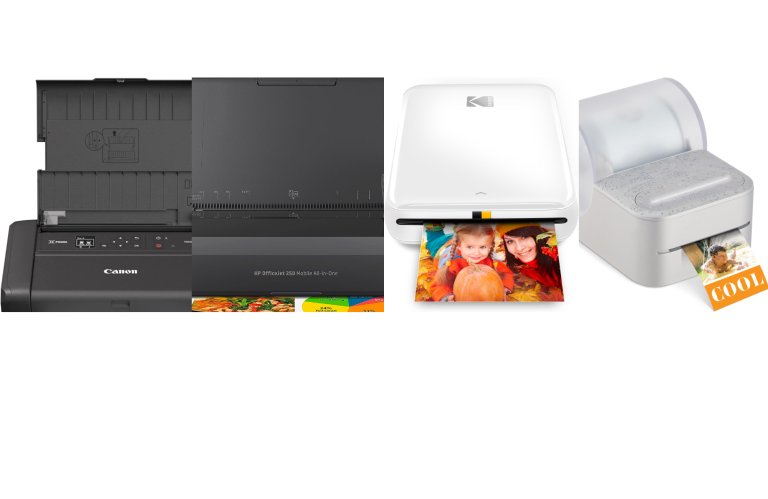
There is a cheaper way!! I know this is shameless advertising, but I work for a Cartridge World in Lithia Springs, GA. Our cartridges are almost always 40-50% off the OEM MSRP! For example, the cartridges for the Canon Photo i70 mentioned in the article are $4.00 for the black and $6.00 for the color versus $12.00 each for Canon's cartridges. The HP OJ Pro K550 (mentioned in a comment and pictured at the title-- a great printer btw) are $21.00 for the black and $18.00 for each color.
I'm not trying to sell you guys something (you're already buying what I'm selling anyways :P), I just want you to know there are significant savings to be had, you just have to look for them!
I hope that someone finds this helpful!
I agree with the author that doing your prints online is going to be the way to go if you even decide to print them out anymore. With computers in every room and Hi Def televisions, showing them on the screen is much better and provides a larger size. Many websites also have slideshows built into them, such as:
facebook.com
klamour.com
myspace.com
Besides, not too many people have the patience or time to handle loading up all the pics and monitoring the print output etc. Most people I know just use their printers in draft mode to print out only the essential data.
As a computer geek I long ago swore off Ink Jets. I never liked them and I never will. The problem (and cost is secondary) is that every friend, family member and random person that found out that I know about computers want me to fix their Ink Jet printer.
I have heard the quality is not as good as it was in the store (as they try to print on paper not worthy of being a napkin)... There are lines in the print... the list goes no and on.
I simply tell them that if they want good quality documents you buy an HP LaserJet (I am an HP fan from the LaserJet II and III days). If you want photos go to a photo processor (Walmart does a decent job).
As for cartridge costs I have had an HP LaserJet 5L since 1996. In that time I have purchased 3 cartridges and one memory module when PDFs became problematic for its 1 meg of ram. At four pages a minute it is slow but when something just works it is hard to part with...
I finally got fed up with this racket a few weeks ago and bought a continouous ink system off of Ebay for my Canon MP530. It puts a big ink tank next to your printer with tubes feeding into a special set of ink catridges. It was a bit of a pain to install and I'm working out a few kinks, but $50 I'm set on ink for a LONG time.
I'm actually printing out a 60 page full-color/full-page PowerPoint deck for a meeting tomorrow.
This isn't for everybody, but if you're a DIY kind of person, I'd check it out.
-Andrej
Has anyone seen Xerox's new solid ink printers? With the Phaser 8860 it costs the same to print in color as it does in b/w. A 31%CMY 1%K color page costs 4.1¢. Xerox has all of their cost per page in this document http://www.office.xerox.com/latest/OPBFS-13.PDF. The only downside the printer cost $2,899.
Don't think you have to buy a new cartridge every time. I bought new carbon black off eBay about 2 years ago, and just put more in my cartridge. Total cost, about $9. You don't need a new cartridge, you need more toner
Come on this is a very common business model.
I'm a photographer, and my early stages of printing were back in 1995, before any "real" at-home printing for pictures could be done. Back then ordering at any in-store processing place was pretty much the only or best way to go.
As time went on, the technology developed and we were able to make prints at home. Then the technology developed into being able to make even better prints at home (read: the "photo ink"). However no matter how many advances laser printers or inkjet printers make, they will never be true photo printers.
Due to my LARGE collection of photos through the years (over 400Gb of pictures), I have finally gotten to a point where I'm going back and printing my own pictures (The pictures I've done of others have been sold to them). There's really two options for me: One would be that I can get my own professional photo printer, like the HP DesignJet Z3100 (12 inks). The other is that I can send my pictures in, via a long drawn out process, to a company to have them print my pictures out.
I chose the second option, since the first option costs over $6,300 (or the large-format iPF9100 from Canon, costing $15,000) and I wouldn't be printing commercially. I searched around and finally found that Sam's Club is one of the least expensive, if not the least expensive, place to print pictures from. Now you might be thinking "how is that professional?" Well the thing is, they in turn, send all the pictures to the labs at Fuji, and Fuji prints the pictures. Price? Well, a 4x6 costs $0.08 and you get them in the mail within a week.
So I get excellent quality pictures printed by printers that have more than six cartridges (anything less than that is going to be terrible...which is why 3-ink inkjets will never compete), and at $0.08 plus inexpensive shipping, I'm happy. Incidentally, my last order was of about 900 pictures and it cost me ~$78 (including s/h).
So honestly, I agree with the article, ink is too expensive, and it's not worth printing your own. Printing your own is not cost effective, and if you want professional-grade prints, it's worthless. Going to kiosks is also bad since they use regular printers.
Do research when printing images...yes uploading pictures is time-consuming, but the results are worth it, as the inks are rated for 300 years and come on...it's Fuji, they're experts.
disposable printers and other corporate print savings tips at
http://dealarchitect.typepad.com/deal_architect/2008/02/waste-in-paper.html
you asked for more
I help corporations negotiate technology deals and write a blog which focuses on economics of technology. The most empty calories are in technology are listed in the post below...far worse than printer ink margins, if you can believe
http://dealarchitect.typepad.com/deal_architect/2006/05/gartner_was_gen.html
joycol
I prefer saving my pictures on CD's. They can then be viewed on a TV set or on my computer monitor. I like the size and clarity. They are also portable.
my computer says I'm out of ink for weeks before I actually am. I just ignore it and keep some cartridges in my desk for when the ink actually runs out
Sir,
Please post a tutorial on how to clean a clogged inkjet printhead.
1. What solvent to use to remove the dried ink.
2. How to proceed in removing the ink container so one will have access to the clogged part of the inkjet printer.
Thank you.
The Kodak EasyShare 5300 is one of the most affordable printers on the market right now with black ink just $9.99; 5-color ink only $14.99 making a 4x6 cost only 10¢ compared to most in home photos costing nearly 28¢.
Also keep in mind when it comes to buying ink OR buying a new printer know that the new printer comes typically with 4.5ml[black] and 3.5ml [color] of ink.
When buying ink you get typically 18ml[black] and 12ml[color] about 3-4 times more ink then when buying a new printer so don't fall for the gimmick of buying a new printer when running out of ink. [that is if you enjoy the features of your present printer]
Lastly remember to look for expiration date on any new inks you buy because they do carry a 1 year shelf life usually. That could be the reason most people get angry when using their printer 3-4 times a year and having to buy new ink when they use it again.
When using ink refill kits be sure to refill your ink when it is at about 20% full that way you don't have to worry about excess dry ink having an empty cartridge. And remember once again most inks have only a year shelf life.
If you are looking for the maximum quality at the least cost for a photographic quality work, then in most cases the best bet is to bring the file to your local photo retailer and have it printed on photographic paper with a laser to photo paper machine. Walgreens/Target/Costco/ and most local stores can do it for you. Shop arround the prices vary a great deal.
If you are looking for photographic quality in a size bigger than 12x18 go to a pro-lab.
By the way for less than photo quality Walgreens stores often have a refill system that is not bad. Before it refills the cartridges they are tested and then cleaned with a cleaning solution.
dickr---I don't know if this has been mentioned before, because there are too many comments to sift through, but I can tell you how to get the most from ink-jet cartridges. When I see the "Low Ink" warning, I simply take the cartridge out, cover the jets with a tissue to prevent splattering, and sling the cartridge very fast in a circular arc with the jets facing away from me---just like shaking down a fever thermometer. Put the cartridge back in the printer and print a few hundred more pages---works every time, B/W or Color.
The ink is contained in a small sponge inside the cartridge ( take one apart sometime ) and is released to the jets by gravity. There is a lot of ink left when the warning shows up, but the manufacturer sure doesn't want you to know that.
For those of you that think an upgrade to an HP Color LaserJet printer will eliminate being scammed on color printouts - think again my friends.
For years HP has made color LaserJet cartridges that are sealed, meaning that the power toner portion of the cartridge is only sold combined with a very expensive color laser drum. So every time you purchase a new Cyan color LaserJet toner cartridge you are actually buying a sealed toner section attached to a brand new sealed drum. The same is true when purchasing a Black, Magenta, or Yellow HP toner cartridge as well.
So when you have to replace all four color cartridges at once (more on that later), you have also unwillingly replaced all four color drum cartridges at once as well. Depending on the Color LaserJet you have purchased, the cost to replace all four color cartridges many times exceeds the cost of the HP Color LaserJet printer.
If that weren't bad enough, realize that most color drums last for at least 3-5 color toner cartridges (from other brands than HP), so in reality you overpaid by hundreds of dollars to replace your color drums (before you ever really needed to), even on the very first trip to the store.
It's like if HP made cars you would be forced to replace the engine (drum) every time you needed an oil (toner) change.
But it gets even worse.
To help HP compete with other manufacturers in color laser print speed, the engineers at HP's Boise factory have designed their Color LaserJet printers to pull all four toner color powders up into the printer "just in case" the next page to be printed needs color.
So if you print out several emails, for example, the HP Color LaserJet's think it's a color page and mix Cyan, Magenta, and Yellow together to be able to print the blue underscore line of your sender's email. Non of the excess color toner is saved, it's simply dumped into the sealed color toner's waste cartridge area, never to be seen by you again.
This "feature" can not be turned off by the end-user via software drivers, the only way is to manually instruct the printer to print all page in black and then manually turn back-on again the color printing when you need it.
Of course the problem is even worse trying to print large multi-page documents that have a few spots of color every 10 pages or so.
Here's how that really works (and why you always seem to have to replace all four color cartridges at once). Let's say you are printing a 100 page MS Word document, with pages 1, 11, 21, 31, 41, 51, 61, 71, 81, and 91 all having some color required (10 color pages in all).
Unless you only print those 10 pages separately, manually turn off all color printing at the printer (again not at the software driver), then print the remaining 90 pages in black only, then manually turn on color printing again, then manually sort the pages to put them in their proper place - your HP Color LaserJet printer pulls all four colors for each page, uses what is needed to print that page, dumps the "excess" toner, and starts the process all over again for the next page following.
The result? The HP Color LaserJet thinks that all 100 pages might have needed some color, pulls the colored toner powder for each page, dumps 90 pages worth of colored toner into the various waste portions of each cartridge, and happily resells you four more expensive new cartridges.
There are several ways for you to verify this HP ripoff. Some are messy, which involve removing the toner from an empty cartridge, comparing the empty cartridge weight + waste toner powder vs. a new cartridge, but HP actually gives you a way to measure the waste yourself if you're clever.
Before you run your next large print run, print out the configuration page on your HP Color LaserJet that shows how much of each color cartridge is left (approximately) and store the page in your desk somewhere.
Next, with the HP Color LaserJet set to print in color (if needed), go ahead and print 200-300 copies of anything you like in Black only. Go ahead and reprint that same configuration page as before, retrieve the original, and compare the toner "used" by the printer.
You'll see that all four color cartridges have been "used" by the printer, even though you didn't print anything in color.
So even though you thought you were saving money by printing in Black, HP was secretly removing just a little bit of all four colors with every page, thereby forcing you to drive to the store far more often than you should.
One more thing with HP Color LaserJet printers. HP has cut back to "starter" cartridges within each new printer, usually good for around 1,500 pages (about 3 packs of paper). You may find it's cheaper to buy another new HP than to replace all four starter cartridges.
So what's a person to do if you need color and speed? Simple. If you like the way the colored powder laser prints look, check out manufacturers that have split the colored power from the drum. Many manufacturers make them, including Lexmark, OKI, and Xerox. That alone will save you thousands in print costs.
Xerox also makes several solid wax based color printers (the Phaser 8500, 8550, 8600, 8860 series) with starting price points under $600 (including rebates).
The solid wax based printers also have the advantage of almost zero landfill waste (vs. HP) if you're trying to help the environment and save some money as well.
I was extremely frustrated after having to constantly replace my ink in my HP all-in-one printer... I had read that HP has chips in their ink cartridges that expire whether you have used all the ink or not...
I just recently purchased a Continuous Ink System for my HP all in one...I can not believe how easy it was to install....no mess...it is supposed to equal 61 cartridges of each color yet cost the same as 1 set of HP cartridges! There is a continuous ink supply running to my printer. I am now free to print as much as I want (I even let the kids print stuff now).
I got it here http://www.printer-ink-refills.info/
Enjoy :-)
i had jumped off the inkjet printer bandwagon over a year ago , i currently find that i am still on the same toner cartridge from my brother $100 laser printer - altohugh i feel i should buy 1 or 2 toners (at $60) to keep on spare in case i end up running this one toner for a few years - and cant find the toner anymore -
also - theres no need to print at 1200 dpi unless you know you need to (for special jobs) - i set energy savings and toner savings ON and i tell my kids ask me before printing
i set my brother laser (ethernet & usb) printer up on the Apple airport extreme USB port , so all macs and pcs on home network can print to it , well worth $100 price for apples wireless router
I was a victim of the inkjet racket. I had two HP Deskjet printers - the all-in-one kind. Fax, scan, print. Worked great, except the ink was a total scam. For one thing, if you try to conserve ink, the ink would dry out or expire. Then, buying new ink was so expensive! And HP did a fine job of making it darn near impossible to buy generic cartridges.
The bottom line is, if you print photos, you are better off sending them to Costco, which is what I do. At 17 cents per photo, it's a deal.
No paper or ink worries. So now, I have a laser printer for documents, and if I have to print photos, I send them to Costco and pick them up an hour later.
Color inkjet printers are really a scam. I just can't believe I fell for it!
geciktirici penis büyütücü video izle Seks diyet erotik erotik güzel sözler
from Marfa,, TX
I live 100 miles from Wal-Mart, 200 miles from Walgreens and Stables and there are NO Costco's here. With the price of fuel I don't believe I will throw away my inject.
Hi, i am new to this site.
This site is very informative.
Now everyone is using digital photos and hence digital printer has become an important element.
In order to get clear print we should use high quality ink also.
And this site provides enough information about this.
=====================================
Jessy
Save up to 65% on ink from HP, Epson, Lexmark, Canon & other major printer ink brands from ConcordSupplies.com
printer ink
:
Just so happens I sell third party inkjet cartridges in Canada.
It can be really cost effective if you use the third party route for your day to day, and photo printing needs.
Http://www.metawatch.ca
This pricing speaks louder than words....
Note; I have 3 printers from different manufacturers that I have been using for 2-5 years without any problems.
Thousands of Happy customers across Canada.
I really don't think that users should complain on high prices when most don't even try to find the lowest price before completing the purchase.
I always compare prices online before I shop anything, online or offline. As long as the price tag is high like it is in the case of toner or ink cartridges.
You can compare prices on these kinds of products easily by using Amazons ink comparison function or by using the service at www.inkguides.com
Most consumers are practical when it comes money, thus, as much as possible, they would find a lowest price but good service or product. Some ink company out there give a high price but the quality of the product isn’t good enough. Consumers must be aware of this matter. Maybe, Retail Anarchy could help. It is a book about rampant consumerism, might be refusing to give in to fashion magazines, or just making your own clothes the way you see fit. Retail Anarchy is also a book, which also tackles about how we, as a culture, do all kinds of things. Reviews have been both positive and negative, as detractors have decried author Sam Pocker as just insulting everyone who doesn't do exactly what he does. To read more you may visit http://personalmoneystore.com/moneyblog/2009/04/09/retail-anarchy-book-stir/.
2006 is an estimate based upon current rates, but it is expect to increase above this level with a traditional fall uptick and any unusual activity.
Before ANI, they used the following manual blocks:
DHCP lease based on black listed MAC (web page interface)
Switch port (appears that network jack is broken)
Null Route
Router ACL Coupled IDS and null routing to create solution. IDS sensors are distributed throughout campus.
Initial rollout focused on a single high confidence rule.
The solution is reliant upon unicast reverse path forwarding to (RPF)
U of Minnesota reports having a problem with having to mix loose and strict RPF.sikis tube
porno izle
seks filmleri
seks tube
sikis tube
sexi filmler
porno filmler
sikis izle
porno indir
porno izle indir
porno tube
youjizz
sex tube
porno film
indir
web tasarim
ozalit
sesli chat
msn
Router ACL Coupled IDS and null routing to create solution. IDS sensors are distributed throughout campus.
Initial rollout focused on a single high confidence rule.
The solution is reliant upon unicast reverse path forwarding to (RPF)
U of Minnesota reports having a problem with having to mix loose and strict RPF
My sites :
http://www.pornoabi.com
http://www.pornobaz.com
http://www.pornoca.com
http://www.pornocunuz.com
http://www.pornoizlebe.com
http://www.pornoizletin.com
http://www.pornoculariz.com
http://www.adultveseks.com
http://www.pornomtube.com
http://www.e-porntv.com
http://www.pornoveseks.com
http://www.adultpornom.com
http://www.pornomu.com
http://www.warezbul.com
http://www.lafaramizda.com
http://www.crea.web.tr
http://www.msn-sitesi.com
http://www.inkilab.com.tr
Thanks for sharing your info
http://www.muabanperfume.com
As the owner of Hot Off The Press, a Redmond Based Printing company www.hototp.com I have some advice. If you have a lot of prints that you need, set them up 4 on 8 1/2 by 11, go to a printer, have them printed on C1S 10 - 12 PT cardstock and cut. If you do a few hundred prints, if you work with your printer, the cost could be as low at 10 cents each.
However if you want these prints to last a long time 20+ years you need to have them printed on archival papers using archival inks.... not cheap...
Thnaks for all... Good job
Thanx for all. This good job
Thx
http://www.pompik.com/
Thnaks for all, very intresting info!
http://majores.wkhost.net/probably66/index.html
Our digital and technological needs are escalating to a point that there are so many gadgets and equipment that I am certain we are beginning to loose sight of what is required to assist in our day to day world. When I read about impending release of "this and that" my anxiety begins to rise as I cannot learn about the communication, audio,video and the printing machines I have in the back room at home, let alone new products that seem to be on the horizon for my back room every day. Did I mention my phone? I am lucky if I use 5% of its capability!
Now, lets get back to the purpose of me responding to this article. The "ink" business is booming.
To demonstrate this : There is a small Abby of Monks in Sparta who just 5 years ago with less than 1,000 pounds, and out of desperation for some income, began suppling ink" to local churches.Today their turnover is in excess of 7 million pounds and growing.
So, if I hear this correctly, we are now going to be a lot more efficient with our ink use. This is good news I believe, as my own usage was extraordinary before purchasing my latest Brother printer, the colored Multi Function printer has been going strong for 6 months wheres older ink jet model required replacements with regular monotony.
Great article thanks very much.
John
www.officesaver.co.uk/
i've had my printer for 3 years now and you must have been shopping pretty stupid. i buy the name brand ink and photo paper and average 7 cents per picture. either you have a horribly inefficient printer or you pay over market value for your products. my pics turn out looking just like my local photo place, ive done comparisons
30bcf4e2
Thnaks for all, very intresting info!
http://www.esenyurtguncel.com/
This comes as no suprise, I've been comparison shopping for printer ink recently and this has to be one of the markets with the largest margins for the top brand. I mean, some remanufactured/non-brand inks sell at 10-15 % (!) of the price of original HP/Canon ink.
It almost seems like the the top brands sort of have a "common understanding" not to push the prices down but keep them high. At the same time they push the concept of "higher quality ink if you go with brands" so many consumers are afraid of going with the cheaper type non-brand options. I came across an article here printerinkcartridges4you.com that pretty much sums it up : you have a ton of options of there, it is just a matter of realizing it.
Marius
Sir,
Please post a tutorial on how to clean a clogged inkjet printhead.
1. What solvent to use to remove the dried ink.
2. How to proceed in removing the ink container so one will have access to the clogged part of the inkjet printer.
Thank you.
www.sexfilmleri.net
Sir,
Please post a tutorial on how to clean a clogged inkjet printhead.
1. What solvent to use to remove the dried ink.
2. How to proceed in removing the ink container so one will have access to the clogged part of the inkjet printer.
Thank you.
www.sexfilmleri.net
Shake and bake. The poloroid! Dont throw it away. I am sure there will be a renewed following. This camera was a must have during the 70's and boy it was adored by the whole family. It will be back.
www.eezytrade.co.uk
A few years ago, HP (and other printer manufacturers) cartridges were filled with a maximum designed capacity of ink. The cost per mL (milliliter) of ink it held was in the $0.50 - $0.80 range. The cost per milliliter in some of the newer printer models is now close to $3.00 per milliliter.
Gradually over time, the volume of ink in OEM cartridges has declined, and lately cartridge sizes from all printer manufacturers are getting smaller. In comparison, the retail prices of inkjet cartridges have not decreased at this same rate.
Now, HP has stopped disclosing the volume of ink in each cartridge and on their packaging. This was done so that consumers could no longer do comparative pricing per milliliter. HP did this to hide under the veil of the cartridge “shell” the true volume while adjusting the prices without comparison.
Whenever a vendor stops disclosing the information on a product there is only one reason…deceptive greed! How did they get away with this, aren’t their laws against this?
The HP “shell game”
The volume of HP black ink cartridges has decreased in size:
• The 940XL (currently 49mL) actually use to be the 940.
• The revised “low capacity” 940 (currently 42mL) use to contained 69mL of ink.
The volume of each HP color ink cartridges have also decreased in size:
• The 940XL (currently 16mL) actually use to be the 940.
• The revised “low capacity” 940 (currently 10mL) use to contained 28mL of ink.
Even these new XL "high capacity" cartridges have less ink volume in them than they are designed to hold. All 940XL and 940 have inside them, exactly the same size ink bladder. The black cartridge bladders designed capacity is 69mL, and each color cartridge bladder designed capacity is 28mL. So, when you are looking to purchase a new inkjet printer, refill cartridges, or continuous ink supply system (CISS). What you actually should be looking for is the cost per milliliter of the inkjet printer cartridges.
The market for consumer printer ink is all about corporate greed. Why else would something containing 98% distilled-water be one of the most expensive fluids on the planet!
If you want to see some revolutionary technology check out the products at:
www.adaptiveink.com
Figures. Just another red herring for consumers. I bet this is more expensive than cobra venom and blood plasma!
Justin -
www.familylifeinsurancenow.com
www.familyhealthinsurancenow.com