We may earn revenue from the products available on this page and participate in affiliate programs. Learn more ›
A good monitor stand can transform your workspace from cluttered to comfortable while improving your posture and productivity. Whether you’re looking for a simple riser to elevate your screen or an articulating arm that moves with you throughout the day, the best monitor stands combine durability, adjustability, and value. After researching current options and analyzing thousands of user reviews, we’ve identified the top monitor stands for every need and budget.
- Best single monitor arm: Ergotron LX Single Monitor Arm
- Best dual monitor arm: HUANUO Dual Monitor Stand
- Best triple monitor stand: Mount Pro Triple Monitor Desk Mount
- Best budget option: VIVO STAND-V001 Single Monitor Arm
- Best non-articulating riser: HUANUO Monitor Riser Stand
How we chose the best monitor stands
To identify the best monitor stands for 2026, we analyzed current product availability, user reviews from verified purchases, expert recommendations from trusted tech publications, and real-world testing feedback. We prioritized stands that are currently in stock on major retailers, have strong customer satisfaction ratings, offer reliable VESA compatibility, and provide good value across different price points. Our selections include both articulating monitor arms and fixed risers to accommodate different workspace needs and budgets.
The best monitor stands: Reviews & Recommendations
Whether you need a simple height-adjustable riser or a fully articulating arm that can handle multiple displays, there’s a monitor stand designed for your specific setup. We’ve selected options that work with dual-monitor configurations, triple-monitor arrays, and everything in between. Each pick offers different features, from gas-spring adjustment to USB pass-through ports.
Best single monitor arm
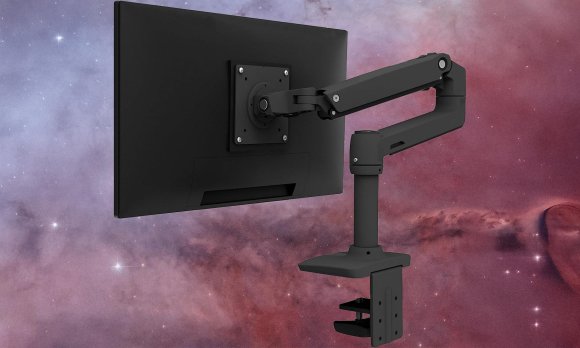
rgotron LX Single Monitor Arm
See It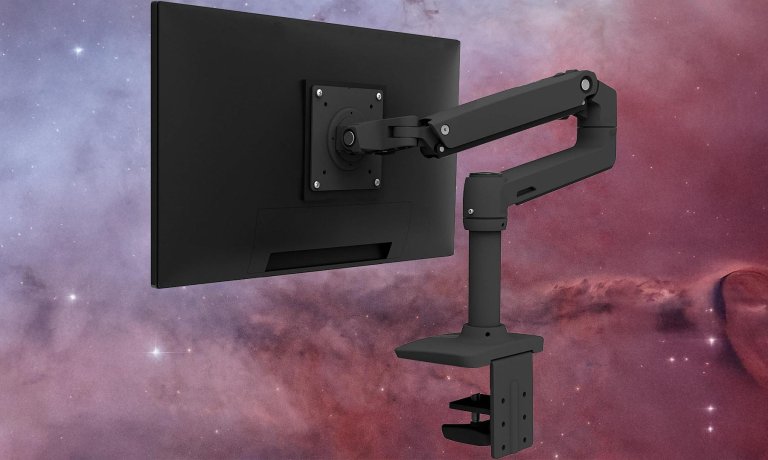
Why it made the cut: The Ergotron LX remains the gold standard for single monitor arms, combining premium build quality with effortless adjustability and an industry-leading 10-year warranty.
Specs:
- Mount type: Desk clamp or grommet hole
- Adjustment mechanism: Gas spring/Free moving
- Weight range: Up to 25 lbs
- Display size range: 13-34 inches
- Available colors: Black, Silver, White
- Price: $179
The Ergotron LX continues to dominate the monitor arm market in 2026 for good reason. Its gas-spring mechanism provides buttery-smooth, tool-free adjustments that make repositioning your display completely effortless. Simply grab your monitor and move it—the arm follows your lead with precision and stability. The polished aluminum construction feels substantial without being bulky, and the integrated cable management keeps your setup looking clean.
Installation requires only a Phillips screwdriver and the included hex wrenches, and the quick-release VESA plate means you can easily swap monitors without dismantling the entire arm. The 10-year warranty reflects Ergotron’s confidence in their product’s longevity, making this a true buy-it-for-life investment. While the $179 price point is higher than budget alternatives, the superior build quality and smooth operation justify the cost for anyone who adjusts their monitor position frequently throughout the day.
Best dual monitor arm
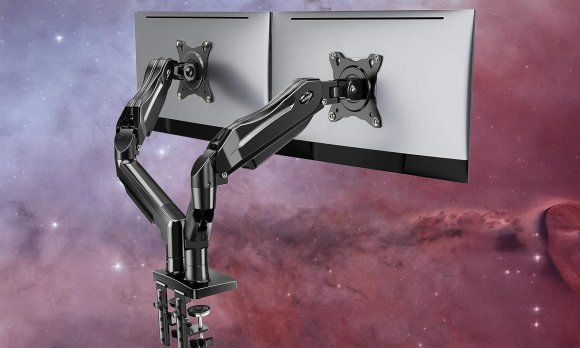
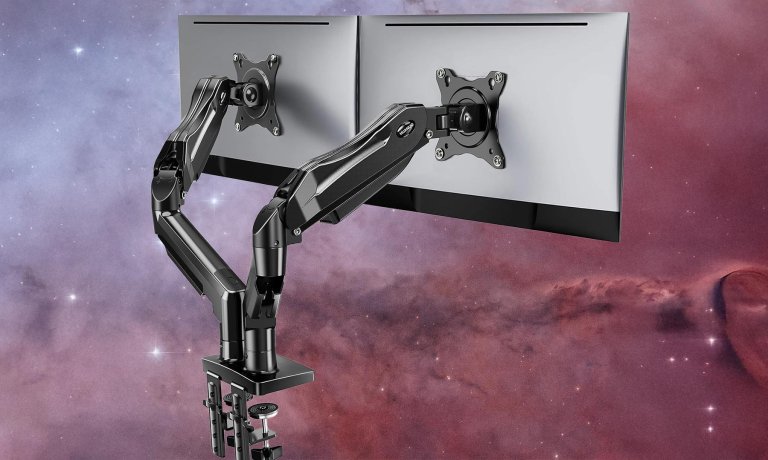
HUANUO FlowLift Dual Monitor Stand
HUANUO
Why it made the cut: HUANUO’s dual monitor arm delivers excellent value with gas-spring adjustability and support for screens up to 32 inches, all at a fraction of premium competitors’ prices.
Specs:
- Mount type: Desk clamp or grommet hole
- Adjustment mechanism: Gas spring/Free moving
- Weight range: 4.4 to 19.8 lbs per arm
- Display size range: 13-32 inches
- Available colors: Black
- Price: Around $90-150 depending on model
For anyone setting up a dual-monitor workspace, HUANUO offers remarkable value without sacrificing essential features. The gas-spring arms provide smooth height adjustment and easy repositioning, while the full tilt, swivel, and rotation capabilities let you fine-tune each display to your exact preference. The independent arm design means each monitor can be positioned differently—perfect for setups where one screen is for primary work and the other for reference materials.
With over 15,000 Amazon reviews averaging 4.5 stars, HUANUO has built a solid reputation for reliability at accessible prices. The included cable management clips keep cords organized, and both C-clamp and grommet mounting options accommodate different desk configurations. While it doesn’t match the ultra-premium feel of Ergotron’s offerings, HUANUO delivers 80-90% of the functionality at roughly half the price, making it our top pick for value-conscious buyers.
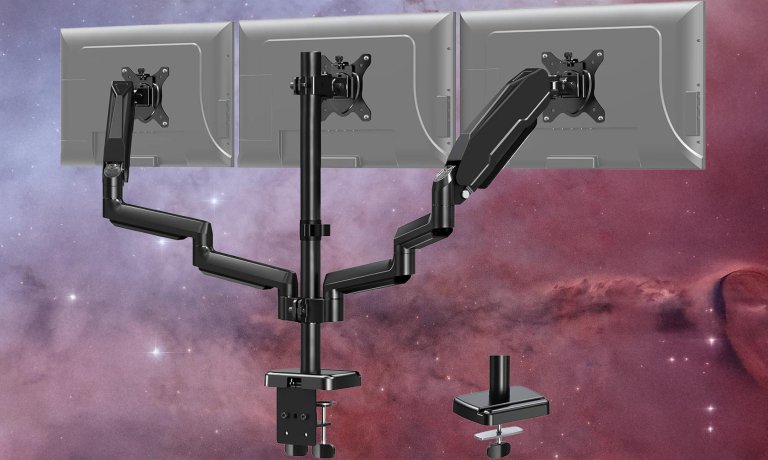
Best triple monitor stand: Mount Pro Triple Monitor Desk Mount
Mount Pro
Why it made the cut: The Mount Pro balances stability and flexibility with two gas-spring arms flanking a stationary center mount, providing a reliable foundation for three-screen setups.
Specs:
- Mount type: Desk clamp or grommet hole
- Adjustment mechanism: Gas spring for side monitors, static for center
- Weight range: Up to 17.6 lbs per arm
- Display size range: Up to 27 inches
- Available colors: Black
- Price: $119
Triple-monitor setups present unique engineering challenges—you’re asking a single mount to support significant weight while maintaining stability. Mount Pro’s solution is elegant: use a solid central pillar for the middle display and attach two fully articulating gas-spring arms for the side monitors. This hybrid approach provides the stability needed for the center screen while still offering plenty of adjustability for the flanking displays.
The separate VESA mounting plates make installation much easier—you can attach each monitor’s plate before mounting rather than wrestling with heavy displays in mid-air. All three monitors offer tilt and rotation capabilities, with the side screens providing full height and depth adjustment. Cable management channels help tame the inevitable cord jungle that comes with three displays. For the price, this is one of the most reliable ways to mount three monitors without compromising desk stability.
Best budget option
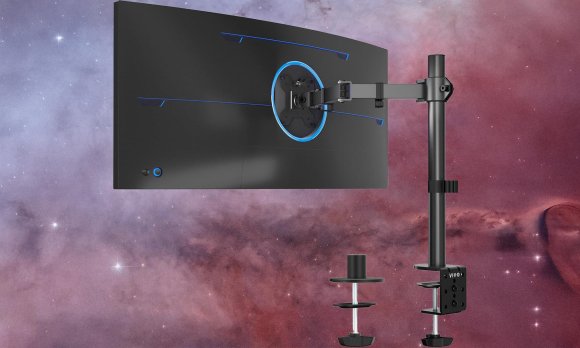
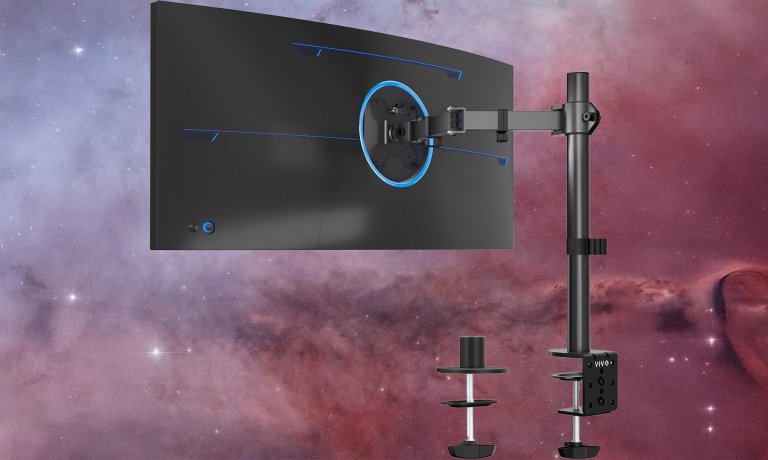
VIVO STAND-V001 Single Monitor Arm
Vivo
Why it made the cut: At around $40, the VIVO STAND-V001 offers articulating arm functionality at a price point that’s accessible to any budget.
Specs:
- Mount type: Desk clamp or grommet hole
- Adjustment mechanism: Mechanical spring/Tool-assisted
- Weight range: Up to 22 lbs
- Display size range: 13-38 inches (including ultrawides)
- Available colors: Black
- Price: Around $40
Don’t let the budget-friendly price fool you—VIVO’s STAND-V001 delivers legitimate articulating arm functionality without cutting corners on the essentials. The mechanical spring system requires occasional Allen wrench adjustments to dial in the perfect tension for your monitor’s weight, but once set, it holds position reliably. The three-jointed arm provides excellent range of motion, and the unit supports an impressive weight capacity up to 22 lbs, accommodating even heavier displays.
The VIVO arm includes basic cable management and works with both standard 75x75mm and 100x100mm VESA patterns. While adjustments aren’t as effortlessly smooth as the Ergotron LX’s gas-spring system, the STAND-V001 costs less than a quarter of the price and delivers most of the same functionality. It’s an excellent choice for students, first-time monitor arm buyers, or anyone who wants articulating capability without premium pricing. The arm even supports ultrawide monitors up to 38 inches, making it surprisingly versatile.
HUANUO Monitor Riser Stand
See It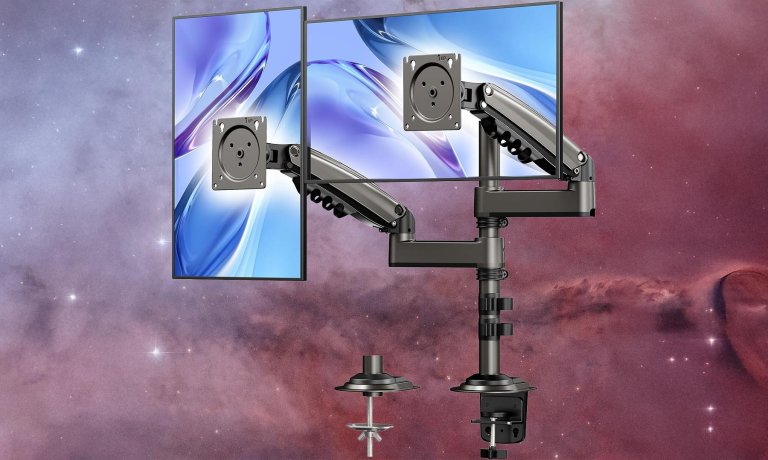
Why it made the cut: For users who primarily need height adjustment without full articulation, HUANUO’s riser provides solid elevation at an affordable price.
Specs:
- Mount type: Freestanding desk riser
- Adjustment mechanism: Fixed height columns
- Weight capacity: Up to 44 lbs
- Height adjustment: 2.5 to 5.5 inches
- Available colors: Black
- Price: Around $30-40
Not everyone needs a full articulating arm—sometimes you just want to raise your monitor to proper eye level. HUANUO’s monitor riser does exactly that with adjustable height columns that offer three different elevation settings. The sturdy metal construction easily supports monitors up to 44 lbs, and the platform is large enough to accommodate even ultrawide displays.
The riser’s storage shelf underneath provides a convenient spot for keyboards when not in use or for stashing small desk accessories. Assembly is straightforward—just attach the legs to the platform and you’re ready to go. While it doesn’t offer the flexibility of an articulating arm, the HUANUO riser excels at its primary job: elevating your display to reduce neck strain. It’s an excellent choice for anyone who prefers a monitor to stay in one position or who has a desk that can’t accommodate a clamp-on arm.
Things to consider before buying a monitor stand
Before purchasing a monitor stand, you’ll need to verify several key compatibility factors and decide which features matter most for your workflow. Here’s what to check before clicking “add to cart.”
VESA compatibility and monitor weight
The Video Electronics Standards Association (VESA) created standardized mounting hole patterns that most modern monitors use. Check the back of your monitor for a square or rectangular pattern of four threaded screw holes. The two most common sizes are 75x75mm and 100x100mm, though larger displays may use 200x100mm or 200x200mm patterns. Your monitor’s specifications (found in the manual or on the manufacturer’s website) will list both the VESA pattern and the display’s weight—both critical numbers when choosing a compatible stand.
Monitor arms list their weight capacity for a reason—exceeding it can cause the arm to sag, drift downward, or even fail completely. Always leave some margin; if your monitor weighs 20 lbs, choose an arm rated for at least 25 lbs. This buffer ensures stable operation and accounts for any additional accessories you might attach to the monitor.
Desk mounting vs. freestanding risers
Desk-mounted arms clamp to the edge or bolt through a grommet hole, freeing up valuable desk surface area since they don’t occupy a footprint on your work surface. However, they require a desk with adequate thickness (typically 0.4 to 3.9 inches for most clamps) and a sturdy edge. Glass desks are generally incompatible with clamp-mount systems due to the risk of shattering from compression force.
Freestanding monitor risers sit directly on your desk surface and don’t require any installation or modification to your furniture. They’re ideal for glass desks, rental situations, or anyone who wants a simpler, more portable solution. The trade-off is that they occupy desk space, though many models include storage shelves underneath to partially offset this limitation.
Adjustment mechanisms: Gas spring vs. mechanical
Gas-spring monitor arms use pressurized cylinders that counterbalance your monitor’s weight, allowing effortless one-handed repositioning with a gentle push or pull. This smooth, tool-free adjustment makes them ideal if you frequently switch between sitting and standing positions or share a workspace with others who have different height preferences. The premium experience comes at a higher price—expect to pay $80-250 for quality gas-spring arms.
Mechanical spring arms use traditional coil springs and typically require Allen wrench adjustments to set the proper tension. Once dialed in, they hold position well but feel stiffer when repositioning. These budget-friendly options (typically $30-60) work perfectly fine if you plan to set your monitor height once and rarely adjust it. The key is properly tensioning the spring to match your monitor’s weight during initial setup.
How many monitors do you need to mount?
Single monitor arms offer the most flexibility and typically handle larger displays or heavier weights. Dual monitor arms come in two main styles: independent arms that each move separately, or fixed side-by-side mounts that keep displays aligned. Independent arms cost more but offer superior adjustability. For triple monitor setups, most designs use a central fixed mount with articulating side arms—this hybrid approach balances stability and adjustability.
Consider your workflow when choosing: graphic designers might prefer perfectly aligned displays, while developers often benefit from independent positioning. You don’t necessarily need to mount all your monitors either—pairing one monitor on a stand with an articulating arm for a second screen can be more cost-effective and flexible.
FAQs
Monitor arms offer significant ergonomic benefits by allowing you to position your display at the optimal height and distance for your body, reducing neck and shoulder strain during long work sessions. They also free up valuable desk space since they don’t occupy a footprint on your work surface. If you frequently adjust your monitor position, share a workspace, or use a standing desk that transitions between sitting and standing heights, an articulating arm pays for itself in improved comfort and flexibility. However, if you simply need to raise your monitor a few inches and don’t plan to move it often, a simple monitor riser provides similar ergonomic benefits at a lower cost.
Most modern monitors are compatible with monitor arms, but you need to verify two things: VESA mounting patterns and weight limits. Check the back of your monitor for four threaded screw holes arranged in a square or rectangular pattern—this is the VESA mount. Common sizes are 75x75mm and 100x100mm, which most arms support. Budget monitors, very old displays, and some all-in-one computers may lack VESA mounting entirely. Also check your monitor’s weight against the arm’s capacity, leaving some margin for stability. If your monitor weighs 18 lbs, choose an arm rated for at least 20-25 lbs. Your monitor’s manual or the manufacturer’s website will list both VESA pattern and weight specifications.
Monitor arm sagging typically indicates improper tension adjustment for your monitor’s weight. For gas-spring arms, locate the tension adjustment dial or hex bolt (usually on the main pivot joint) and tighten it clockwise while supporting your monitor. Make small adjustments, testing after each turn until the monitor holds position without drifting. For mechanical spring arms, you’ll need to adjust the spring tension with an Allen wrench, typically found near the base or main pivot point. If your monitor is near or exceeds the arm’s maximum weight capacity, no amount of adjustment will prevent sagging—you’ll need a heavier-duty arm. Also ensure the arm is mounted on a solid desk surface; a wobbly or thin desk can cause the entire mount to shift and appear to sag. For premium monitor arms like the Ergotron LX, sagging is rare and usually indicates a defective gas cylinder covered under warranty.
Independent dual monitor arms offer maximum flexibility, allowing each display to move and rotate separately. This works well if your monitors are different sizes, if you frequently switch between landscape and portrait orientation, or if you need to position screens at different heights or angles. The downside is higher cost and more complex setup. Side-by-side mounts keep both displays locked together in alignment, which looks cleaner and works perfectly if both monitors are identical and you want them positioned symmetrically. These fixed mounts typically cost less and install more easily. For professional productivity work where consistency matters, side-by-side mounts excel. For creative work, gaming, or mixed-use setups, independent arms provide more versatility.
Glass desks and standard clamp-style monitor arms are a dangerous combination that can result in shattered glass. The compression force from a C-clamp or even a grommet mount can create stress points that crack or shatter tempered glass. If you have a glass desk, your safest options are freestanding monitor risers that sit on the desk surface, or wall-mounted monitor arms that don’t touch your desk at all. Some manufacturers make specialized glass desk clamps with larger, padded contact areas that distribute pressure more evenly, but even these carry some risk. The most common solution is to place a thick piece of wood or metal between the clamp and the glass to distribute the force, though this requires careful engineering to ensure stability.
Final thoughts on the best monitor stands
- Best single monitor arm: Ergotron LX Single Monitor Arm
- Best dual monitor arm: HUANUO Dual Monitor Stand
- Best triple monitor stand: Mount Pro Triple Monitor Desk Mount
- Best budget option: VIVO STAND-V001 Single Monitor Arm
- Best non-articulating riser: HUANUO Monitor Riser Stand
The right monitor stand transforms your workspace from merely functional to genuinely comfortable. Whether you invest in the smooth precision of the Ergotron LX, the practical value of HUANUO’s offerings, or the budget-friendly VIVO arm, elevating and positioning your display properly reduces physical strain and boosts productivity. For more specialized setups, explore our guides to dual-monitor stands, triple-monitor arrays, articulating monitor arms, and wall-mounted solutions.