We may earn revenue from the products available on this page and participate in affiliate programs. Learn more ›
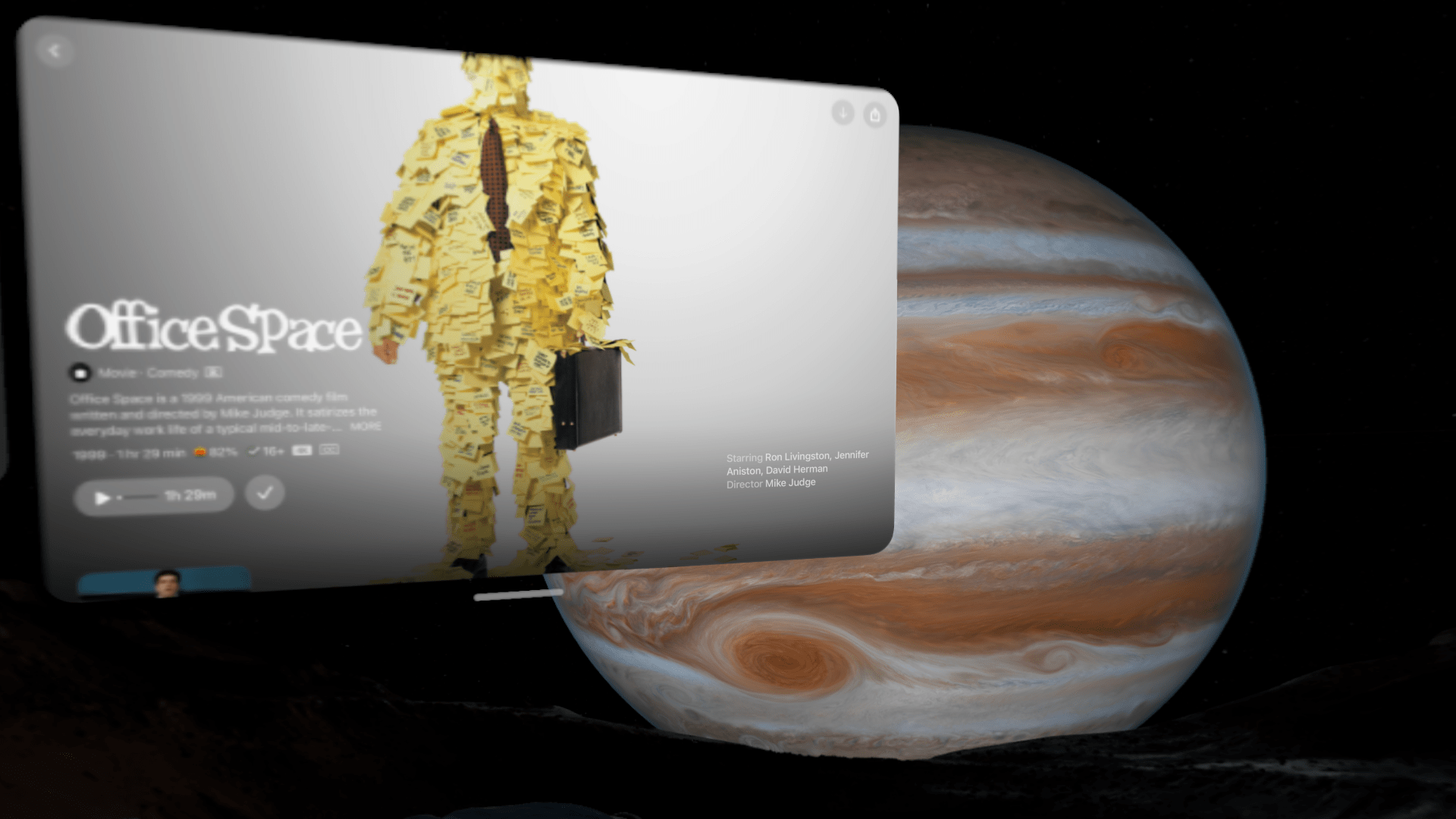
I’ve watched my favorite movie, Empire Records, roughly 1,000 times, but this morning is the first chance I’ve had to watch it on a 3,000-inch screen from the surface of Jupiter’s moon, Amalthea. I didn’t have to travel roughly 420 million miles from Earth for this opportunity, however. In fact, I’m sitting on the Amtrak Empire Service train to NYC wearing the latest version of the Apple Vision Pro headset with the M5 processor inside.
My celestial movie theater setting is what Apple calls an Environment. The Apple Vision Pro headset relies on built-in cameras to integrate digital elements into a mixed reality world for the viewer. I regularly use it to extend a giant virtual monitor beyond my MacBook Pro when working away from my desk. Adding an Environment to the mix obscures the wearer’s view of the real world with a more scenic view. Options range from national parks like Joshua Tree and Yosemite to even more exotic locations, like the Moon.
The Environments have been impressively immersive since their launch. You can get surprisingly up-close and detailed looks at objects in the scene, and many come with real-time audio tracks to ratchet up the immersion. I’ve grown quite fond of the soothing wind that accompanies the view of Yosemite. I recently got the chance to talk with Yuri Imoto, Apple Vision Pro Product Marketing, and Matt Dessero, Human Interface designer at Apple about how they bring these Environments to life.
Live on Jupiter
The view of Jupiter is different from the rest of the virtual settings. It’s the Vision Pro’s first interactive environment, and the team behind it wanted to make the experience as authentic as possible, even though viewers had no real frame of reference.
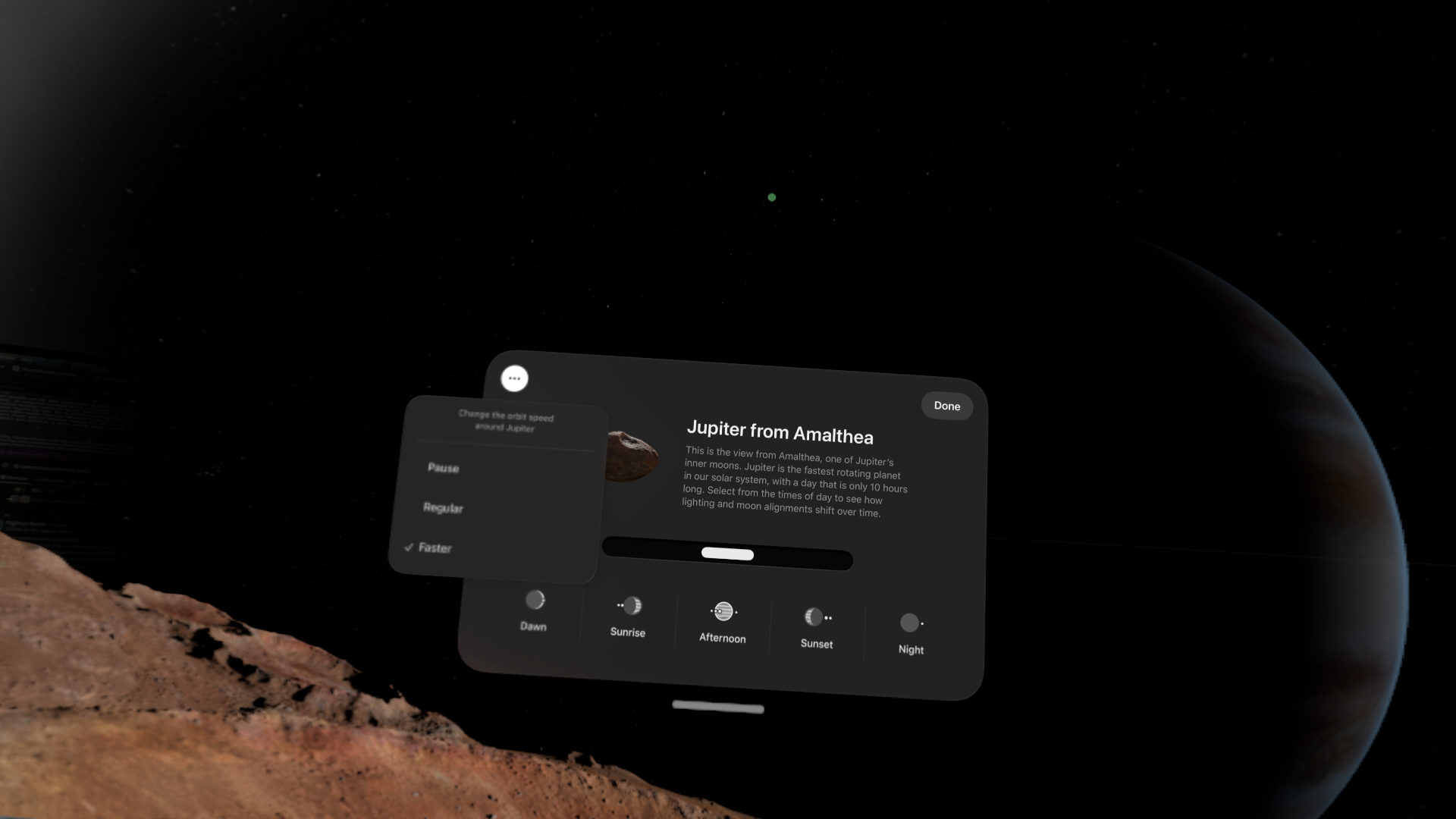
To crank up the realism, the Vision Pro team reached out to the Jet Propulsion Laboratory (typically referred to as JPL) to get a sense of what it’s really like to sit and answer emails on the surface of Jupiter’s moon.
“We spoke to Dr. Cynthia Phillips at Jet Propulsion Laboratory, and she and the team of scientists there really helped us understand the composition of the planet or the moon we’re on,” says Matt Dessero. “So we originally walked in with some pre-viz, and we threw some basic texture on it that looked similar to our moon, which has a core. And they were really quick to point out that Amalthea actually doesn’t have a core; it’s a collection of a bunch of rocks, base rock that have gathered together through Jupiter’s gravity, pulled it all together, and it’s bound by ice.”
That ice sits all around your feet when you’re in the Jupiter environment. Dynamic shadows move across it, drawing out impressively detailed textures and shapes you can examine closely. It’s detailed and interesting enough to distract you from the giant planet spinning in front of you.
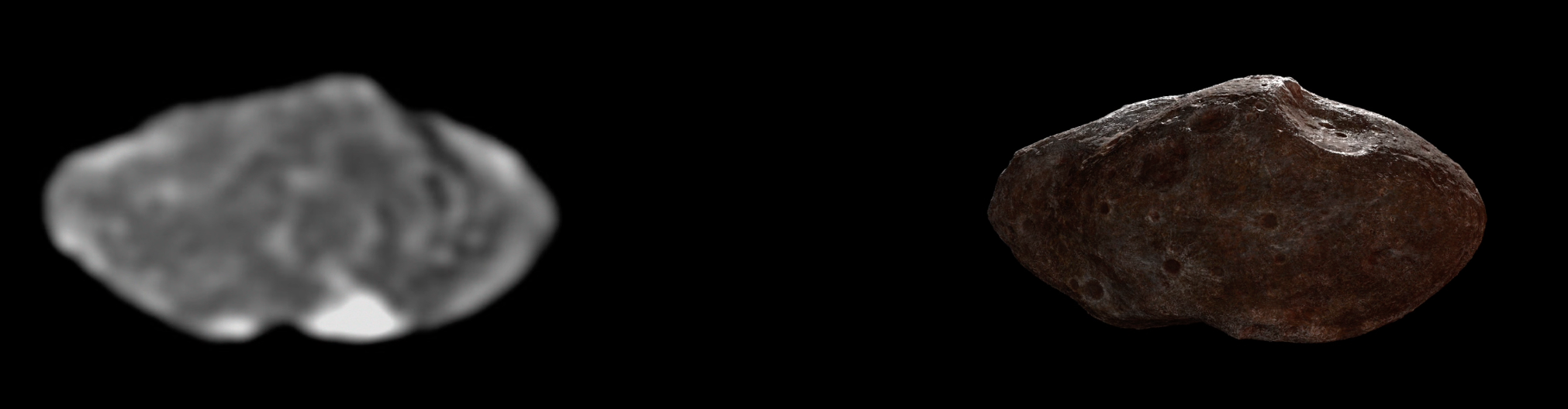
The detail present is even more impressive considering the team’s reference material for Amalthea. “There’s some crater detail, but it’s just this little blurry blob. It’s been impacted, but you know, it’s rather small. So we reached out to JPL for some consulting and ended up doing a rough texture on the whole thing,” says Dessero.
He’s not lying. The black-and-white image resembles a blurry potato. “It is so small; It’s about 100 miles, 90–100 miles across,” Dessero clarifies. “To put it in perspective, Jupiter—you’d fit 11 Earths across the diameter of Jupiter here. So Amalthea, rather small in the grand scheme.”
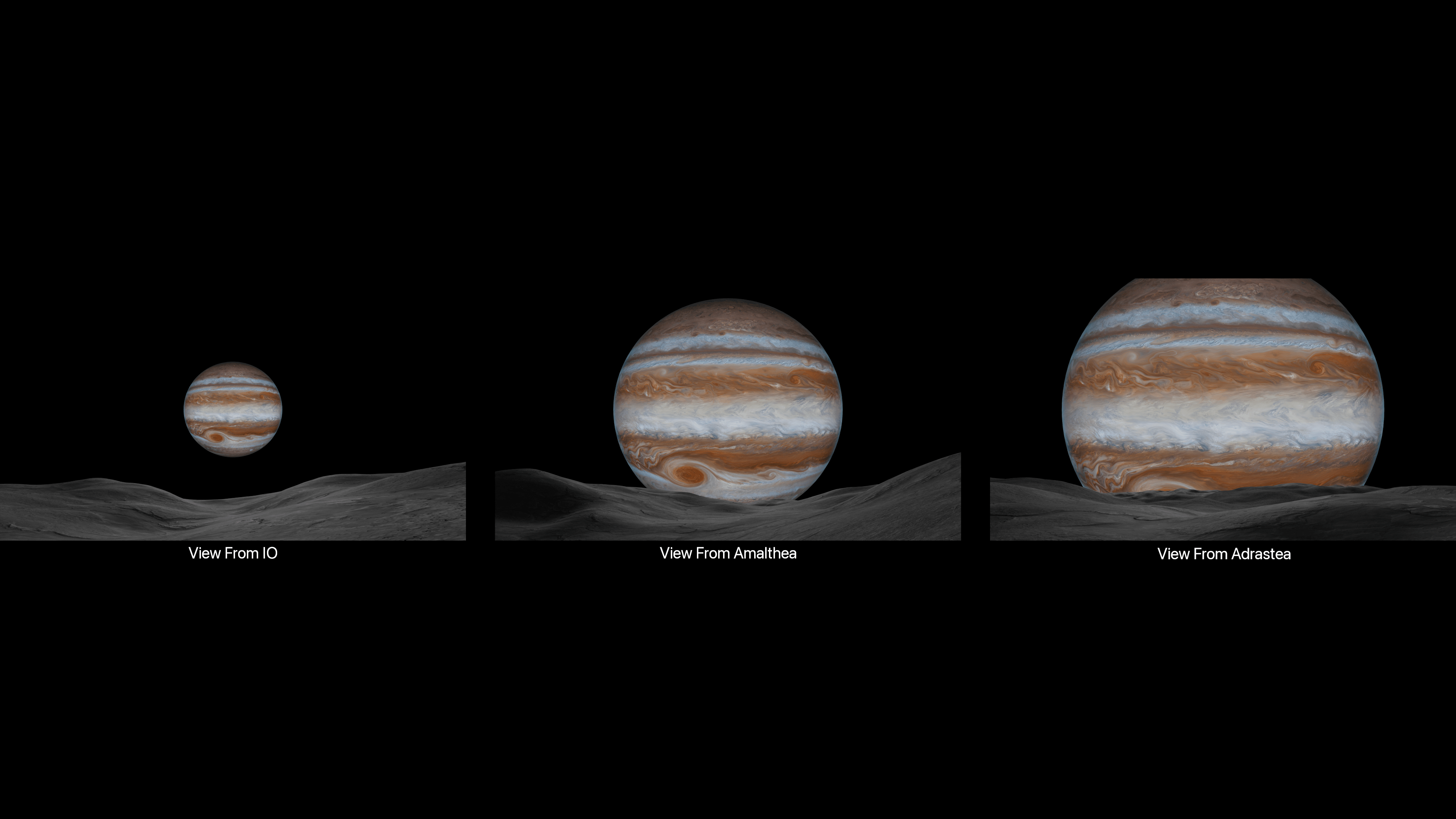
Despite the lack of reference material, Amalthea provides a perfect viewpoint for Jupiter. It’s close enough to help the planet loom large over the horizon, but it’s not so close that it omits essential details. What’s a view of Jupiter if you can’t see the Great Red Spot?
“From Io, it was too far away. From Amalthea, it felt pretty good,” says Dessero. “And then we tried Adrastea, which just felt too large—we didn’t see the Great Red Spot. We really wanted to get a better view of it. And we didn’t want to cheat; we really wanted to be on one of the moons, we didn’t want to just float and move the moon. So Amalthea was our choice.”
A rotating Jupiter demands serious computing power
Once the viewpoint was selected, Apple needed to make the scene truly interactive. Jupiter rotates faster than any other planet in the solar system, with a day lasting just under 10 hours. But Vision Pro users can customize the passing of time to go faster or slower.
All that movement requires computing power, however, and making it possible was a substantial technical challenge on top of the artistic presentation. “We pre-baked a lot of our textures so that we can rely solely on the compute for, you know, all these dynamic shadows and sub-surface and animations that are happening,” says Dessero. The extra power provided by the M5 handles the transitions with ease.
Back on Earth: How Apple crafts its terrestrial environments
While Jupiter is the most advanced and impressive environment in the current selection, I still regularly opt for more traditional settings. For terrestrial settings, the team used some clever technical strategies to capture realistic settings while taking some creative license to make them more enjoyable as virtual backgrounds.
The creation process involves imaging with 360-degree cameras and doing a more comprehensive 3D scan to create a mesh for the landscape. “We shoot the panoramas, which become the majority of our texture for the distant regions where we can project onto simpler planes,” Dessero explains. “And then, for the closer objects, they have to go into more of a CG or 3D object approach for creation with the texture. Then we rely on shaders for reflection, shadowing, and all that.” As a result, the close-up objects lend a very tangible realism to the scenes.
While realism is key, sometimes that attention to detail can actually put a viewer into the uncanny valley. With the moon environment, for example, the lack of atmospheric haze that we’re used to here on Earth posed a unique challenge for scaling. A visual indicator that typically tells your brain, “That object is really far away and also really big,” doesn’t exist in the absence of an atmosphere. That can make a 7,000-foot-tall lunar mountain look like a 400-foot hill.
While your eyes may not always know the exact scale of what’s going on in front of you, the digital objects created by the Vision Pro certainly do. I had a chance to watch another film on a virtual screen at the top of a mountain. Light from the “screen” bleeds onto clouds below to create a surprisingly convincing immersive effect.
During my time speaking to Dessero, he made it abundantly clear that the Apple team sees the entire Environment development process as a careful mix of pure art and technical elements. Capturing complex LiDAR grids of an environment allows artists to create a version of a location that’s both realistic and idealistic at the same time.
After a few weeks with the revamped Apple Vision Pro, Jupiter has become my most-used environment. I keep the speed set on its slowest of the three settings and let the surroundings change gradually as I work or watch content. Sometimes I just sit and pretend that I’m Dr. Manhattan from Watchmen and I’ve successfully left Earth to live by myself on a desolate rocky wasteland in space. I’m not sure that’s what Apple had in mind when it was putting all this detail into the Environment, but I’m glad it did.