Building your own PC from scratch gives you the freedom to choose the exact specifications you want, and it often saves money as well. However, the idea can be daunting. You have to source the components, stick them all together, troubleshoot problems, ensure everything works, and install an operating system—all of which requires a lot more work than just buying a computer.
Still, once you get started, the process isn’t all that difficult. With the right guidance, anyone can build a custom PC. So we collected everything you’ll need to know. Go ahead, put together your own computer piece by piece.
The building blocks of a computer
Before you start buying components, you need to decide which ones will work best for your needs. Any PC requires a case to hold everything, a motherboard to act as the nervous system of the new machine, a processor and RAM to slot into the motherboard, a power supply unit (PSU) to regulate electricity, a hard drive to store files, and a monitor to interact with your machine.
Choosing a case is as simple as deciding what you want your new PC to look like and how much stuff you want to cram in it. The latter feature will affect the potential size of your other components. For example, more powerful graphics cards need more room, and robust processors require more cooling space, so if you want a seriously fast machine for gaming or video editing, then go big. On the other hand, if you plan to just stream Netflix, you can get away with a smaller case (without a separate graphics card).
On to the motherboard. This part attaches to one of the case’s interior sides, and other pieces (such as the processor) slot into it. Because of that, you’ll need to pick this component’s size based on the case—most cases will list the types of motherboards they can accommodate. You’ll find that the configuration specification called Advanced Technology EXtended (ATX) is the most common choice, while Micro ATX acts as a popular smaller option.
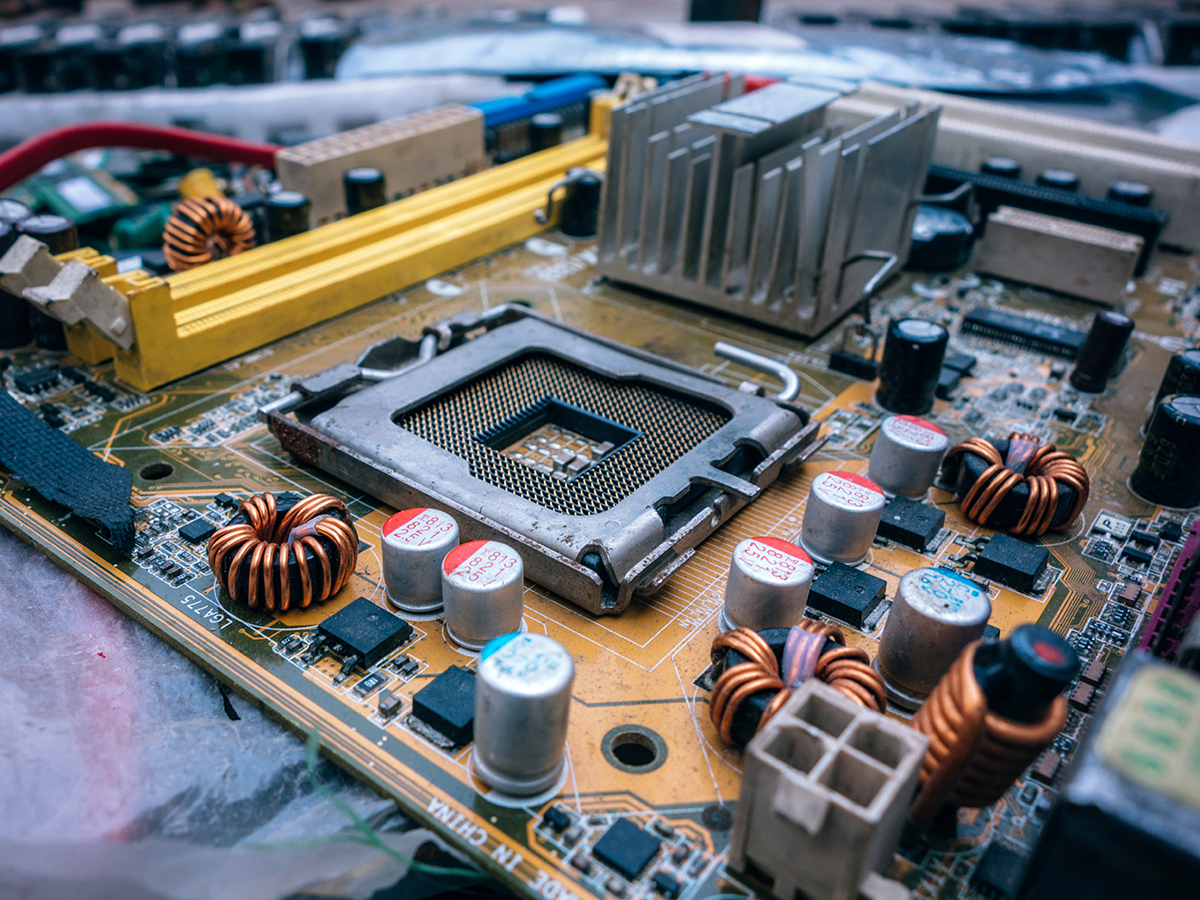
The other consideration: What do you want to slot into the motherboard? Specific models will house specific central processing units (also called CPUs or processors). Because this is a key spec, every motherboard prominently displays the types of CPU it can accommodate. You do have some leeway—a motherboard will support a particular line or family, rather than just a single one. Once you plug your chosen CPU into the large square slot near the center of the motherboard, you’ll need to dissipate heat by slapping a heatsink or sometimes a cooling fan on top of that (the faster the processor, the bigger the cooling setup). Luckily, most CPUs come with standard heatsinks, so you should find everything you need in the box.
In addition to the CPU, you’ll have to plug in some random access memory (RAM), which gives the computer room to think and handles open applications. Plug in more RAM, and you can work on more files simultaneously, access applications more quickly, run games at higher resolutions, and keep more browser tabs open at once—all without slowing your computer to a crawl. Again, you’ll need to buy the right RAM for your chosen motherboard, but you don’t need to be as particular about this component as you were about the CPU. Just make sure your motherboard has enough RAM slots for your needs. Look for two or four long slots in the motherboard—the manual will tell you the precise location.
You can also give the motherboard a graphics card. As we’ve explained in our separate guide, this component is optional. Today’s CPUs come with what’s known as integrated graphics, enough to power your PC’s display. A separate card only proves its worth when you’re trying to put a lot of fast-moving pixels on your computer’s screen for top-end gaming or you have your machine make graphics-related calculations for video editing. It slots into one of the PCI Express slots on your motherboard, which are usually on the other side of the CPU socket.

The most powerful graphics cards need an extra power connection to the power supply unit, which brings us back to the PSU. The key spec you should pay attention to here is the wattage, how much power it can provide to the system. Most PSUs on the market will cover a basic setup of CPU, RAM, and hard drive—but if you’re installing a separate graphics card or an extra hard drive, then you might need more. Cooler Master has a very useful PSU calculator you should use to work out the wattage you’ll need.
Speaking of the hard drive, you’ll need this long-term digital storage to hold your files and applications. The physical component sits in a separate cage inside the case. Then you connect it via cables to the motherboard (for data) and the PSU (for power). When you’re shopping, you can opt for an older hard disk drive (HDD), which gives you more capacity for a cheaper price, or a newer Solid State Drive (SSD), which is much faster but more expensive. You can also choose a hard drive with a greater or lesser storage capacity.
Your new PC will also need a monitor, so pick one based on the amount of screen space you want. Just be aware that the larger the monitor’s size, the more you’ll have to pay. Almost all of the products you’ll find on the market will use HDMI as the connection standard. This lets you plug the video output from your motherboard or graphics card into the monitor’s input.
One component we haven’t mentioned is a DVD or Blu-ray drive. By all means buy one if you think you’re going to use it. But if you do, make sure to purchase a case that has an optical disc drive bay. Once you do, the internal connections are the same as for the hard drive: one to the PSU for power, and one to the motherboard for transmitting data.
Shopping for components
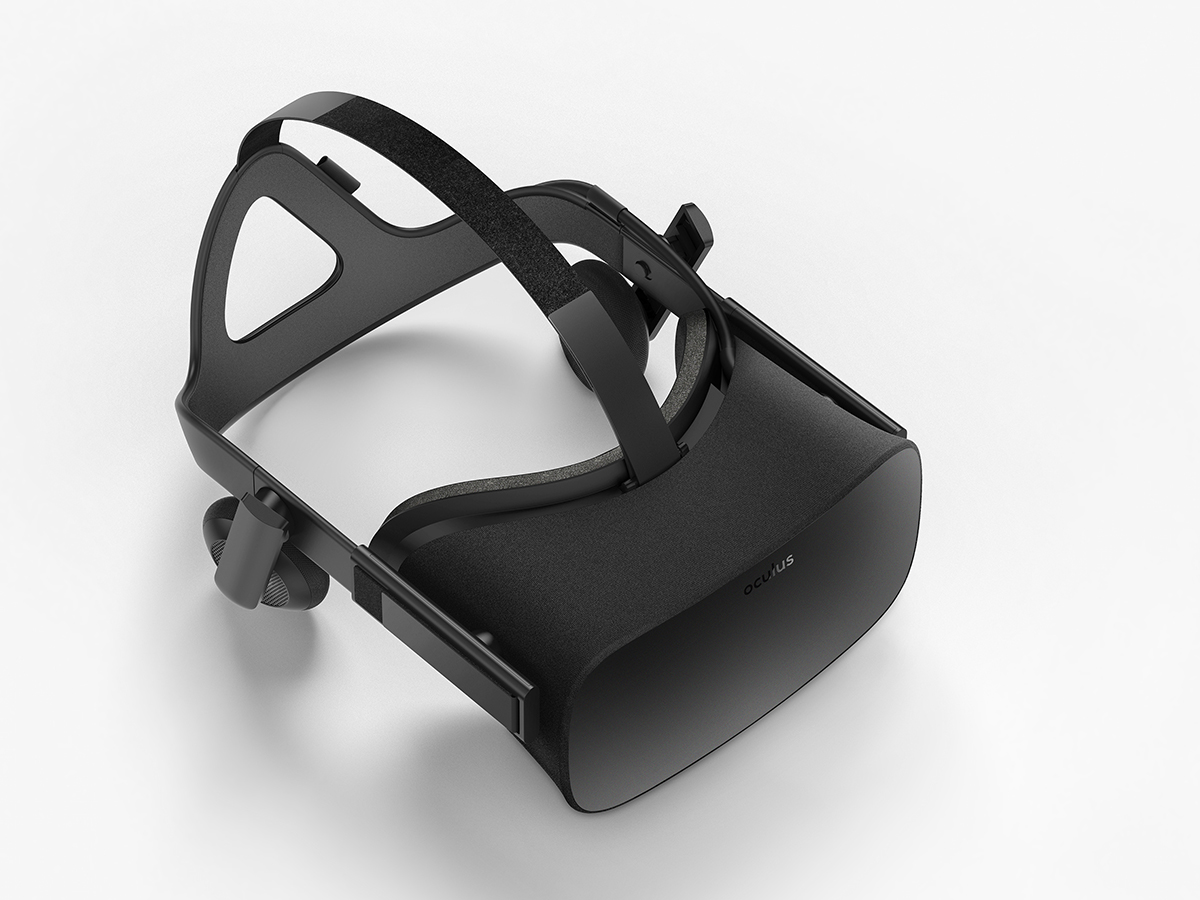
Now you know all the components you need to buy: a case, motherboard, CPU, RAM, potentially a graphics card, PSU, a hard drive of some kind, monitor, and optionally an optical drive. Before you sit down to do some comparison shopping for these items, consider how you plan to use your new computer. For example, a PC’s most demanding uses include gaming, running a VR headset, and video editing, so if you don’t plan to do these things, you can save some money on your final setup and skip that separate graphics card.
There’s no exact formula for working out the components you’ll need, and there are almost an infinite number of combinations to choose, but don’t panic. As you start to browse around, you’ll soon get comfortable using the common terms and brand names.
You should start with your processor. In this case, you’ve got a choice between two brands: Intel (usually best for performance) and AMD (usually best for value-for-money). Intel offers several generations of i3, i5, and i7 processors, rising in power and price as you go up that list. The newest versions of these processors are the 8th-generation chips, but if you want to go for more affordable option and don’t mind a slight performance trade-off, look for older-generation CPUs still on sale. As for AMD, the second-generation Ryzen processors are the newest on the market, and like Intel, it has a rising scale of performance and price: Ryzen 3, 5, and 7. We don’t have room to give you a complete buying guide here, but benchmarking and comparison tools like CPU Benchmarks can help.
Broadly speaking, an Intel Core i5 processor (or the AMD equivalent, Ryzen 5) and 8GB of RAM will give you a decent mid-range machine. If you want to save money and don’t mind budget-level performance, then downgrade an Intel Core i3 chip and 4GB of RAM. For the fastest, most powerful machine, you’ll want to bump up to an Intel Core i7 chip and 16GB (or more) of RAM.
If you plan to check emails, write essays, edit photos, and play simple games, then the integrated graphics built into Intel’s chips should serve you just fine. For serious gaming, video editing and more advanced photo editing (with larger files and more complex edits), consider investing in a separate graphics card. However, first make sure you have enough RAM and a fast enough CPU to cope—otherwise you run the risk of causing a bottleneck where the graphics card isn’t being used to its full potential because the other components can’t keep up. This isn’t usually a problem unless you have a top-end graphics card with a distinctly mid-range processor. To make sure, do some online research.
Picking hard drive storage is a little easier than sifting through the dozens of graphics cards on the market: 1TB is a good size for a capable PC. Get more if you’ll be installing a lot of games or working with a lot of 4K videos; get less if you’ll be mostly working on the web and storing a lot of your data in the cloud.
Once you’ve decided on CPU and RAM, these will guide your choice of motherboard and case. The PSU and hard drive are more independent because most models of these components will fit most motherboards. Still, you should double-check the specs sheet to make sure that they’ll function well together. If you can’t immediately figure out the compatibility, a quick web search or a chat with a customer service representative should help you.
When you’ve chosen your components, get some help from forums like those at Overclockers and Tom’s Hardware. List the components you plan to use, and members will point out potential compatibility or performance issues. You can also learn useful information by reading threads on these sites.
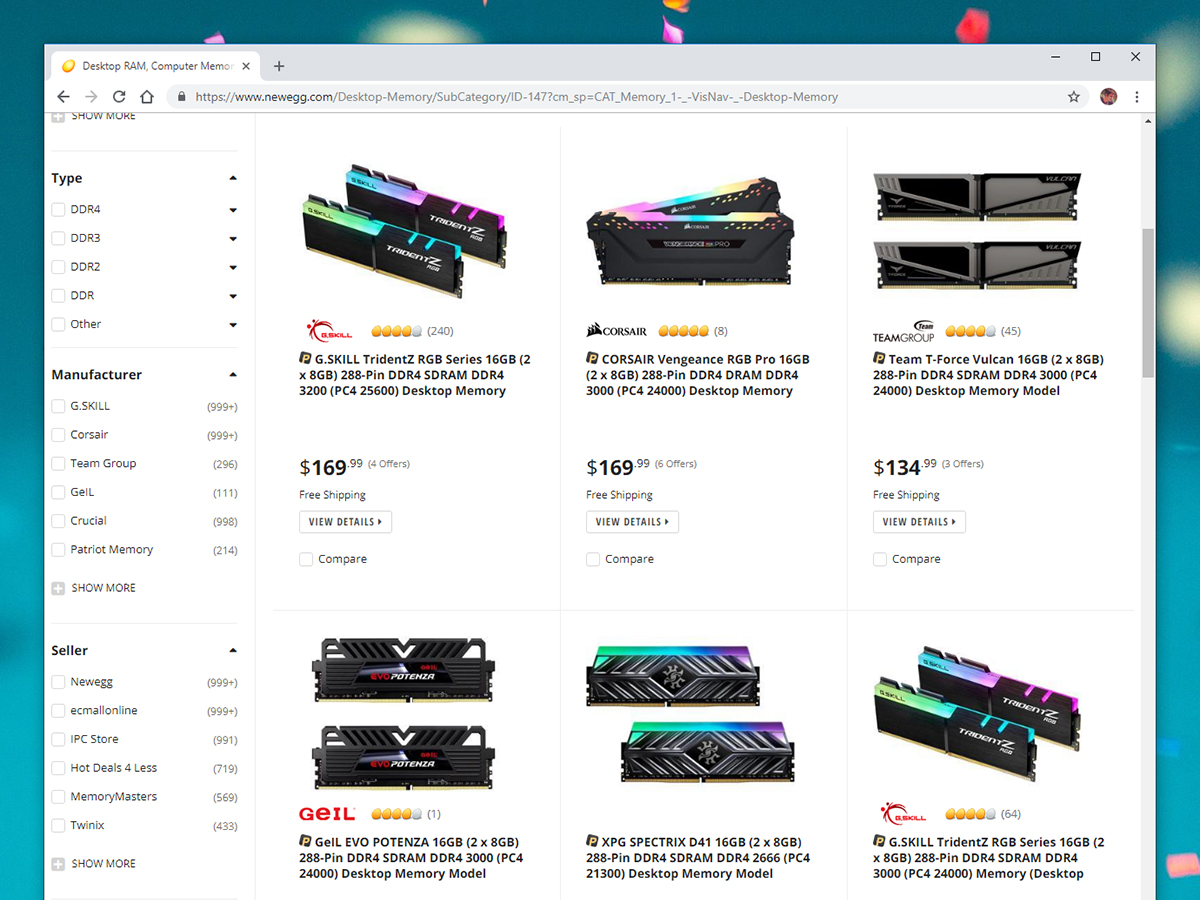
After you double-check your choices, you’re ready to buy. Dedicated electronics retailers such as NewEgg, OutletPC, and Micro Center are good places to start your search. These sites are easy to navigate—computer parts are clearly categorized, so you can jump straight to the type of motherboard or RAM that you require. You’ll also find plenty of PC components on Amazon, but the retail giant doesn’t have the same variety that the dedicated retailers do.
At these sites, you often find bonus guides, compatibility advice, and forums. For example, NewEgg has a compatibility checker that can tell you what types of memory work with which motherboards, while Micro Center offers a guide to installing a graphics card. In addition to those lists of products and prices, look out for helpful resources like these.
Put together the build
You’ve picked your components, checked their compatibility, and ordered them. Now you’re ready to actually build your computer. You can easily do this within a couple hours—though you should avoid rushing the process if you’ve never put together your own PC before. And if you can enlist the help of a reasonably tech-savvy friend, all the better.
First, set up in a good environment. A hard, flat table is the perfect place for assembly. Avoid carpets, which are uneven and tend to generate static electricity that can damage the components.
Speaking of static electricity, before you touch any components, ground yourself by touching a metal part of the computer case, or by wearing an anti-static wrist strap. As for other tools, a lot of modern cases let you slot in components without them. Still, we’d recommend keeping a Phillips screwdriver on hand, just in case. That’s just about the only equipment you’ll need.
The PC parts you buy should ship with just about everything you need—for example, the PSU will come with its own power cable. Handle all of these components carefully by the edges. When you’re not using them, place them on top of the anti-static bags they came in.
Now you’re ready for assembly. First, fit the PSU into the case, then screw in the motherboard. Next, add the CPU, RAM, hard drive, and graphics card (if you’ve bought one).
Unsure about where to put everything? The instructions supplied with the motherboard and other components should tell you. If they’re confusing or incomplete, an online search should help—make sure your search terms include the exact model names and numbers of your components, or you won’t get the right results.
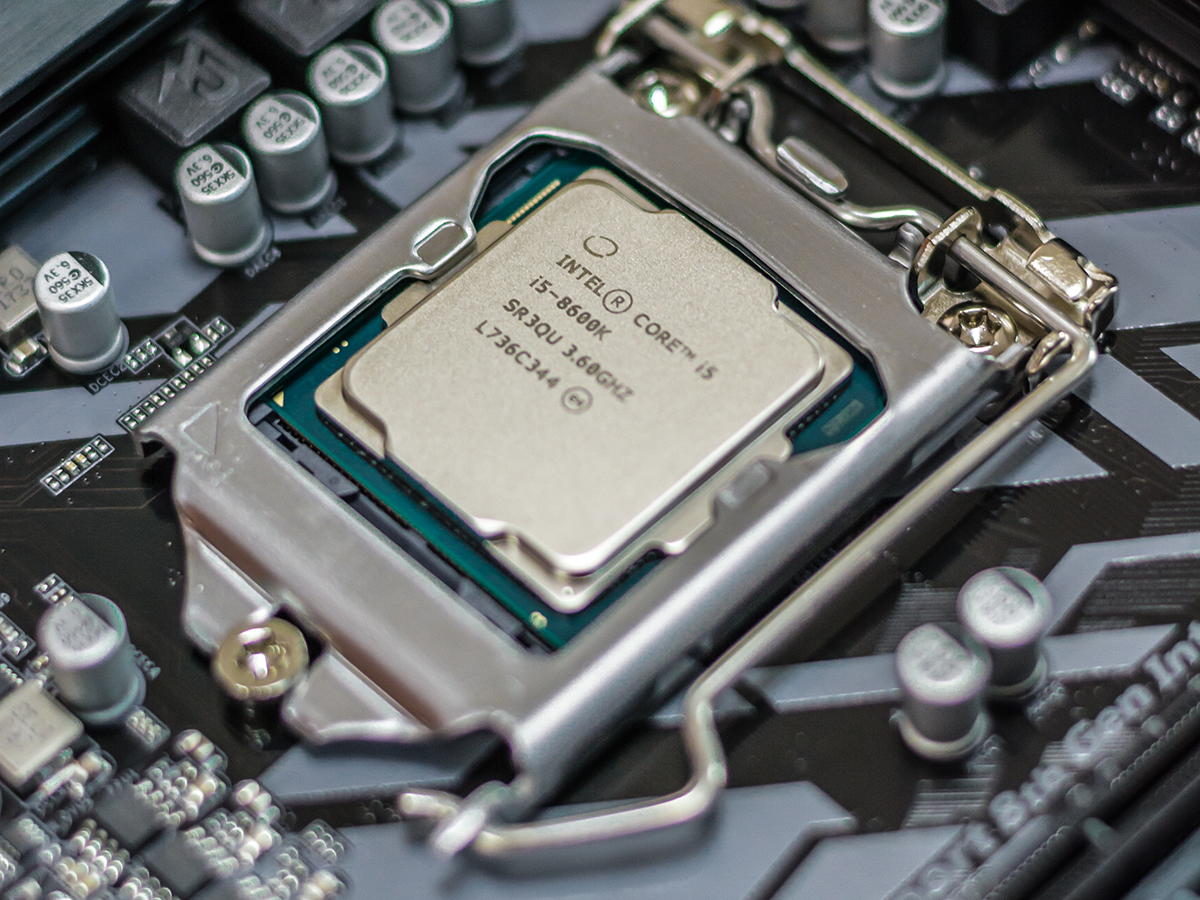
The processor has perhaps the most involved installation process, but it should also come with step-by-step instructions to help. When you drop it into the motherboard slot, you should see some form of clip or bracket you can use to fix it in place. Apply a thin layer of thermal paste, if it doesn’t come pre-applied on the cooler, then fix the heatsink and cooling fan on top. These typically screw straight into the motherboard.
Once you’ve installed all these pieces, the last hardware requirement is to connect the power cable and actually switch on the machine. You do this via a button on the PSU or the case. When you hit it, you should hear the reassuring sounds of the motherboard and storage drive starting up…that is, if you’ve connected everything successfully. If not, don’t panic. Switch the power back off, double-check all the connections and slots, and then try again.
Troubleshooting problems is a whole new article in itself, but one way to work out what’s going on is if the motherboard emits a beep or two. To translate those noises, Computer Hope offers a comprehensive beep code list. In fact, your motherboard’s manual might include its own decoder. For example, on a Dell machine, two beeps indicates that the motherboard can’t detect any installed RAM. If the motherboard doesn’t offer any tell-tale noises, you’ll have to go methodically through each component, one by one, making sure they’re all correctly seated and connected. Are data and power cables hooked up to the hard drive? Is the CPU heatsink firmly attached on top of the processor? The connections must be solid for the system to work.
Install the operating system
When the hardware warms up, your computer will need an operating system, either Windows or Linux. The best option is to use a different computer to set up a USB drive that holds the necessary installation files. Microsoft has instructions for doing this with Windows, and you can follow these instructions to do the same thing for Ubuntu Linux.
Although Linux is free, Windows 10 isn’t: You’ll need to pay $139 for the direct download, and then you can transfer it to your new PC via USB.
To get your new machine to recognize the USB stick and the software on it, you may need to adjust the way the hardware boots up. Watch the screen for a message about entering the BIOS, which stands for Basic Input/Output System. This is the software on the motherboard, which handles communications between all the different parts of the computer. The motherboard user manual should come with a shortcut key to help you get into the BIOS. You should see a boot order option somewhere, where you can tell the BIOS to load from the USB drive rather than the hard drive or the optical drive. While you’re here, you can check that the motherboard is correctly recognizing the drives, RAM, processor, and all the other components.
After you install your operating system, you should be ready to go! The whole process may take some time, but it’s also a lot of fun. And in the end, you’ll have a PC tailored to your exact specifications.