Game on
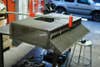
Free software lets any computer play hundreds of classic arcade games. So we loaded up an old PC and built a heavy-duty, tricked-out arcade table around it.

This story has been updated. It was originally featured in the April 2007 issue of Popular Science magazine and involves outdated services and technologies. For current advice, consider using a Raspberry Pi to build a DIY arcade dance game, turning your old Nintendo Wii into a retro gaming system, or just getting some classic games on your phone.
Dig Dug, Kung Fu, Ms. Pac-Man. As nostalgia-inducing as the smell of Mom’s cookies, the games that swallowed all your quarters as a kid are still out there, easily and cheaply played on any computer, thanks to a program known as Multiple Arcade Machine Emulator, or MAME. This application, which simulates the circuitry inside the old arcade games, lets your computer load just about any classic game file. A quick search will turn up hundreds of these ROMs, as they’re called, on websites and in newsgroups, but since many are still copyrighted, downloading them from anyone other than their creator could be illegal. Fortunately, some companies now sell packs of legal ROMs, offering a dozen or more games for $20 and up. There are versions of MAME for any computer system (and even smartphones and PDAs), so you can simply play at your desk using your keyboard.
- Project: build a classic arcade table
- Cost: $672
- Time: 50 hours
- Difficulty: easy | | | | | hard (Editor’s note: 3/5)
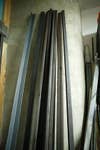
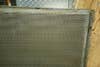
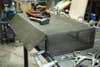
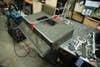
But for the real experience, you need a full-blown rig, complete with joysticks and buttons that can take a beating. It’s easy to assemble and build one on your own. Get a head start at arcadeinabox.com, where you can buy kits, premade cabinets, or just the basic plans. We used the plans as a guide for the PopSci gaming table, a perforated-steel work of alien-blasting art mounted on a set of 40-pound-bolt legs. Send us a picture of your creation at h20@time4.com, and we’ll publish the best right here on popsci.com.
Parts
- Motherboard (free; salvaged)
- Power supply (free; salvaged)
- Panasonic slot-loading CD drive ($68; meritline.com)
- Soyo 19-inch LCD ($130; ecost.com)
- I-PAC control interface ($39; ultimarc.com,)
- 40GB hard drive (free; salvaged)
- Two Ultimate Joysticks ($11.25 each; happcontrols.com,) with SlikStik illuminated replacement handles ($30 each; slikstik.com)
- Illuminated pushbuttons ($6.60 each; happcontrols.com)
- One- and two-player buttons ($2.40 each; happcontrols.com)
- Start buttons (91 each; happcontrols.com,)
Instructions
1. Build an enclosure. Buy plans ($20) from arcadeinabox.com, or start from scratch.
2. Install the monitor and computer parts inside; be sure to keep the fans and allow for ventilation.
3. Mount the joysticks and four to eight buttons, depending on the games you plan to play.
4. Solder wires from the controls to the connections on the I-PAC control interface. Plug the I-PAC into a USB port on the computer.
5. Go to MAME’s website to download a version of MAME for your operating system.
6. Buy a pack of legal game ROMs from arcadeinabox.com.
7. Relive the glory.