We may earn revenue from the products available on this page and participate in affiliate programs. Learn more ›
Every year Apple gives us a preview of its upcoming software updates at its WWDC (Worldwide Developers Conference) event, and at the 2026 show we got news of what’s coming with iOS 27, iPadOS 27, macOS 27, watchOS 27, and more.
It’s the iPhone update that we’re going to focus on here. The full launch is scheduled for sometime in the fall—most likely in September, alongside new iPhones.
If your iPhone can already run iOS 26, then it’s going to be able to run iOS 27 too, though some of the more advanced AI features are limited to certain models. Here’s what you’ll get when the update arrives.
1. Siri AI
This is the big one: Siri gets a major upgrade, and an extra ‘AI’ on the end of its name. It’s also becoming a dedicated, standalone app, which you’ll be able to call up on iPhones, iPads and Macs—with your chats synced across them for the first time.
Thanks to some help from Google and its AI models, Siri is now far more comparable to chatbots like ChatGPT and Gemini. You should be able to get better, more sophisticated responses, as well as more informed answers from the web. Understanding and processing of audio and image inputs has been improved too.
Note though that the most advanced version of Siri, including voice customization options, is only available on the iPhone Air, iPhone 17 Pro, and iPhone 17 Pro Max. That’s due to these phones having the most advanced on-device AI.
2. Liquid Glass adjustments
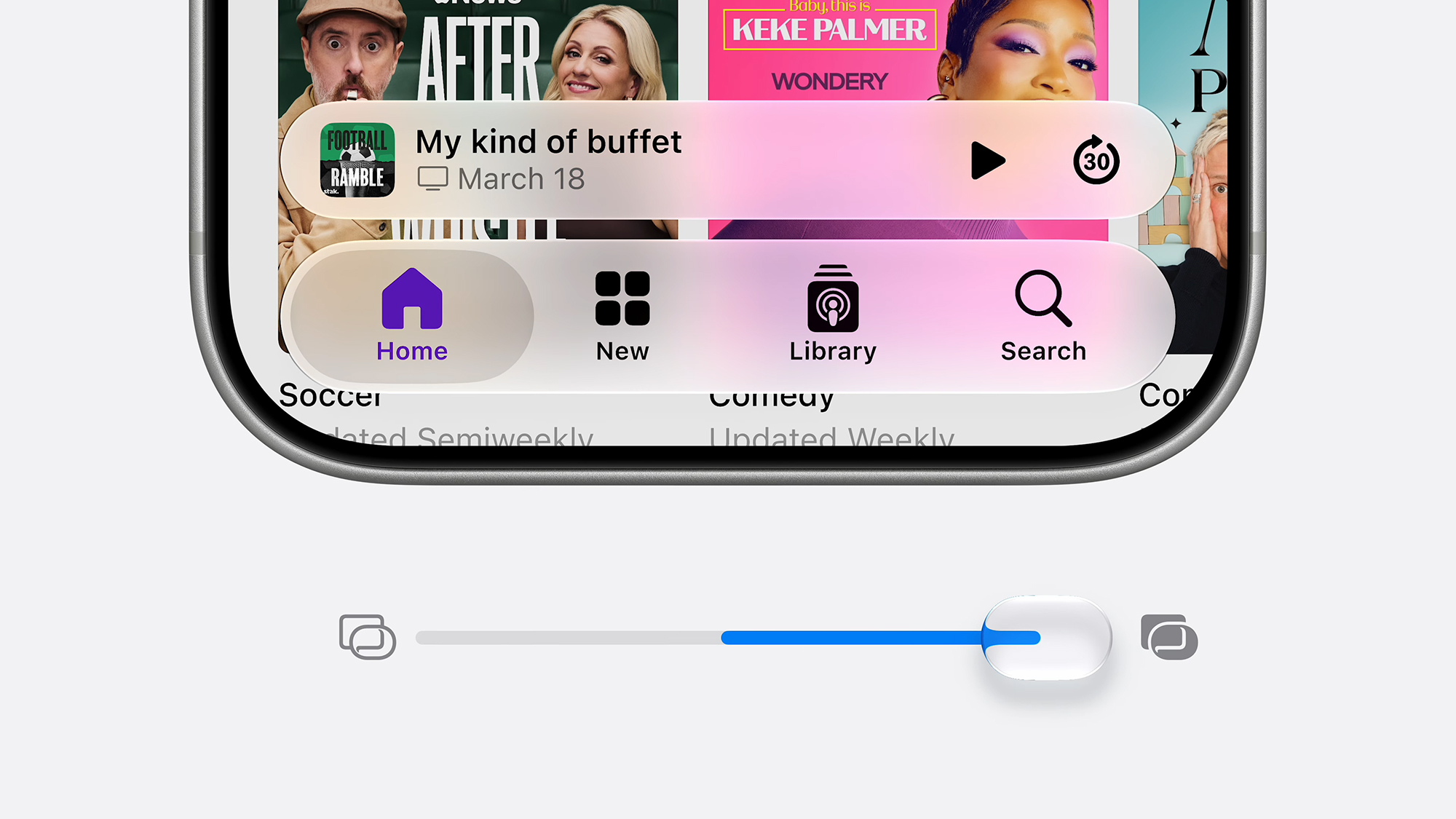
The Liquid Glass revamp that arrived with iOS 26 has been somewhat divisive, so Apple is giving users more control over how strong the transparency effects are. By opening Appearance from Settings you can set it as you prefer via a simple slider.
3. Improved child safety tools
If you’ve got kids to look after, you’ll be interested in the new child safety tools Apple is rolling out with iOS 27. iPhones and Apple accounts already offer numerous parental controls, but they’re getting upgraded and polished in the next software release.
The changes include a new Setup Assistant for parents that appears when you’re first setting up an iPhone for a young person, and an ‘ask to browse’ feature that pings you when your child wants to visit a website they haven’t been on before.
The Time Allowance feature lets you configure how much time can be spent on certain app categories (like Entertainment), and the Schedule feature means screen time can be configured differently for different days of the week.
4. Set alarm volumes separately
It’s been a long time coming, but iOS 27 finally lets you set an alarm volume that’s different to the ringtone and alerts volume. Head to Sounds & Haptics from iOS Settings, and there’s a new Match Ringtone Volume toggle switch for alarms.
5. Equalizer settings for your AirPods
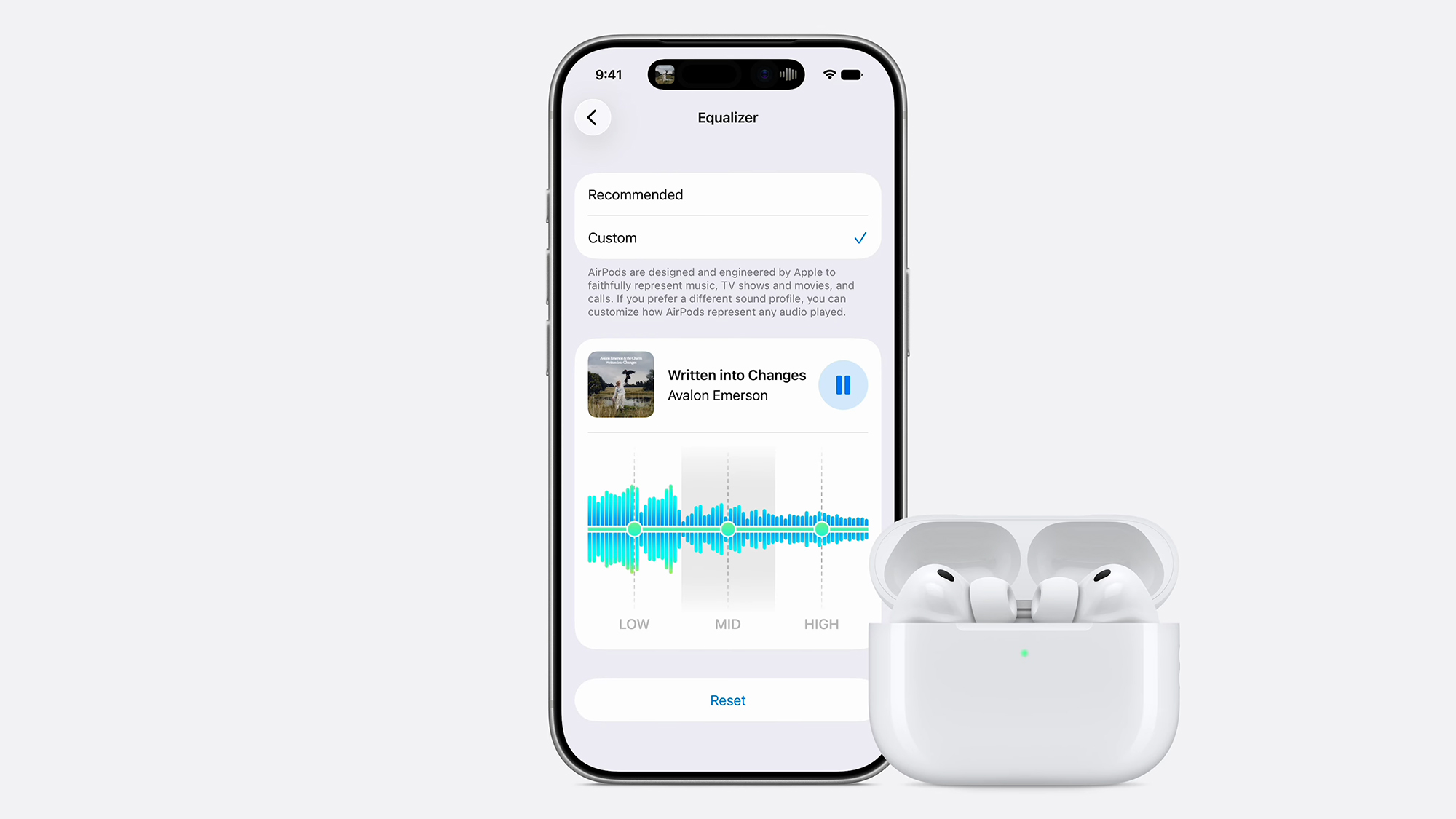
Apple has finally gotten around to adding equalizer settings for AirPods in iOS 27. You can adjust bass, midrange, and treble to suit your ears and your tastes, and this will work if you’ve got the AirPods Pro 2, the AirPods Pro 3, or the AirPods 4.
You get to the AirPods settings page from iOS Settings by tapping Bluetooth, then the little ‘i’ icon next to your AirPods. From there, you can pick Audio and Routing > Equalizer and then Custom to unlock the EQ and start making changes.
6. Drawing options in Messages
There are new features in the Messages app as well. One of the upgrades is built-in drawing tools, so you can quickly send sketches and scribbles to your contacts: The new Drawing option is behind the + (plus) button on the text input box.
7. More realistic AI images
Back to AI, and as well as upgrading Siri, Apple is also catching up in terms of AI image generation—something that it has been seriously behind on, compared to what you can produce using chatbots such as Gemini and ChatGPT.
On iOS 27, AI images are handled through the Image Playground app. You were previously limited to rather simple pictures made in cartoon or illustration-style formats, but the app will now produce photorealistic results as well if you need it to.
What’s more, you can now edit your AI creations as well. You can use follow-up prompts to request changes (like altering colors or adding objects), and even mark on the existing image where you want the modifications to be made.
8. Enhanced city flyovers in Apple Maps

As usual, the iOS apps are getting upgrades too. One of the more notable improvements is to flyovers in Apple Maps: These 3D views will now use AI to give you more detail (even down to individual trees) and a smoother experience in select cities.
9. Reframe your photos
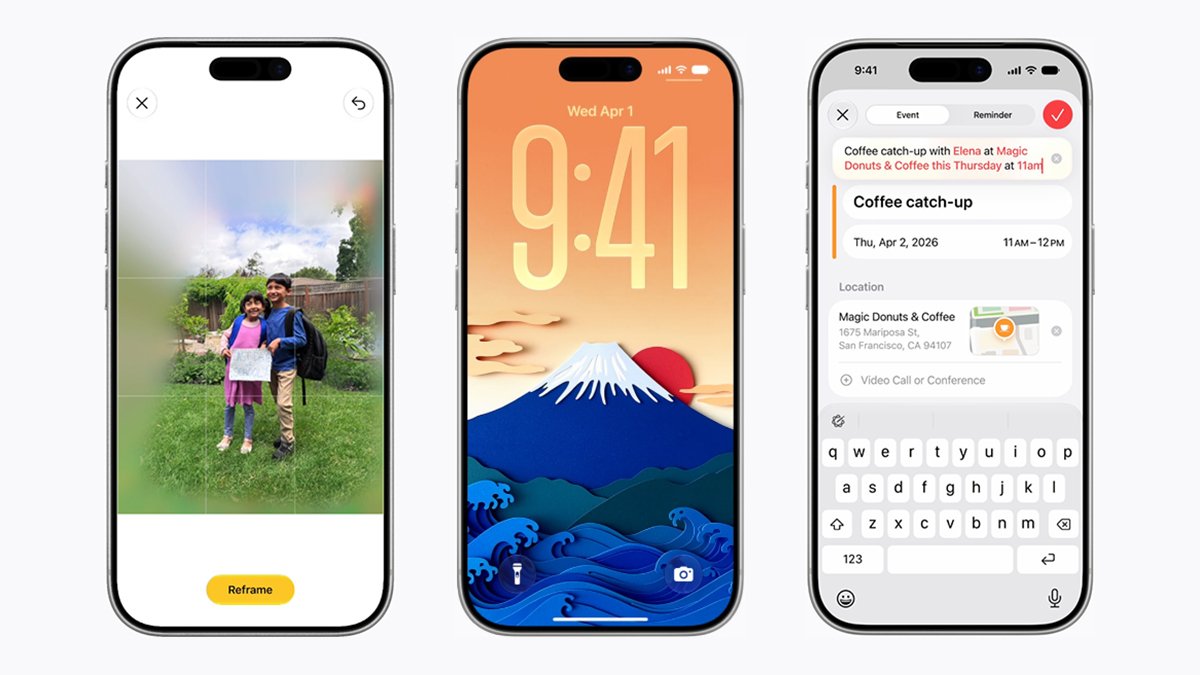
As part of the AI enhancements coming with iOS 27, Apple is introducing a new photo editing tool called Spatial Reframing. It essentially lets you keep the central subject of an image, while changing the angle and perspective, and tweaking the background.
So, maybe you’ve got a picture of your two kids, but they’re not perfectly in the center of the shot, or you didn’t quite get the angle right. Tap Reframe in the editing section of the Photos app, and you can then zoom in and out of the image, pan the camera around, and rotate the angle too.
Photos then applies some AI wizardry to fill in any gaps you might have created, which should in theory merge with the original photo seamlessly. You end up with a nicer snap at the end of it, even if it’s not quite real.