Battle of the Ultra-Mobile Linux Laptops: Cloudbook vs. EeePC vs. My Old Thinkpad
How much portable Linux goodness can you get for $400?
We may earn revenue from the products available on this page and participate in affiliate programs. Learn more ›

Three of a Kind
When Asus unveiled their ultraportable, ultra-cute EeePC in October of last year, they may not have anticipated launching a whole new product category, but judging by the overwhelmingly favorable reaction of users online and strong sales numbers, that’s exactly what they’ve done. The slimmed-down, no-nonsense, Linux-powered ultraportable category that the Eee currently presides over, and that Everex’s recently released Cloudbook hopes to capitalize on, is just one instance of a greater tech trend we’re seeing across the board: an emphasis on shrinking form-factors and streamlined usage. In an industry that has always been about more power, more size, more capability—more everything—this is notable.
In the industry as a whole, we’re seeing this minimalist trend everywhere. In TVs, every manufacturer is lately focusing on producing not necessarily the largest displays, but the slimmest. Take Sony’s OLED TV—people are so mesmerized by its three-millimeter thickness that they forget they’re watching TV on an 11-inch screen that set them back $2,500—something high-end consumers would have laughed at a few years ago. We’re also seeing it in computers—Apple’s Macbook Air is currently their flagship objet d’envie, and it’s most notable for what it doesn’t have: bulk, thickness and weight, but also an Ethernet port and optical drive—again, missing features that would have been deal breakers on a $1,800 machine not too long ago.
A great benefit of this trend toward minimalism is that it is often associated with reduced costs. Both the EeePC and Cloudbook are priced at $400, which is pretty impressive considering what comes in the box. And with the Cloudbook being sold by Wal-Mart, the world’s largest retailer, things are starting to get mainstream.
But by far the most exciting thing about tech’s new minimalism is the added longevity it gives to older hardware. As more and more people realize that the overwhelming majority of their time with a computer is spent surfing the Web, sending emails, working with office applications, or talking to their friends—all of which can be easily and comfortably accomplished on low-cost and often older hardware—they will also realize that with a little easy tweaking, the four-year-old laptop gathering dust in the closet might be perfectly capable of meeting their needs.
Notable here is the operating system’s role in this trend. While the open-source Linux operating system can be run (and is very functional) on just about anything—from the latest high-performance screamer to the aforementioned old laptop in the closet —Windows Vista, for instance, can only run on systems built in the last year or two, if you’re lucky. And although a version of the EeePC running Windows XP is forthcoming, it takes significantly more coaxing to run on lower-powered, non-standard hardware than Linux.
In the new world of the Linux ultraportable, the EeePC is still king, and when comparing it with the unpolished Cloudbook, it’s easy to see why [see the next page for our full comparison]. But the trend toward minimalism in hardware also allows older machines, like my four-year-old Thinkpad X31, to step back up to the plate. And that’s where things get interesting.
Let’s take a closer look at the main contenders in the Linux-powered ultraportable world—the Asus EeePC and the Everex Cloudbook–and, as a control, my four-year-old IBM Thinkpad X31 running Ubuntu Linux. Sure, the X31 is not as crazy-svelte, but in its day it was about as small as they came, and still serves as an impressively compact workhorse to this day. And best of all, the three of them can be had for $400 (you can probably pick up an X31 for even less with some craigslist watching), so let’s see what’s possible with each.
Size

Linux Laptops Size Comparison
You really have to hold these tiny laptops in your hand to realize how amazingly small they are. As you can see from the chart (props to Sizemodo), the EeePC and the Cloudbook are nearly identical in shape, and both weigh in at two pounds. The X31, once one of the smallest full-featured notebooks on the market, looks massive by comparison, but is in truth still incredibly small and sturdy. Like all Thinkpads, it’s built like a truck—no, a Honda Civic; you feel like you can abuse it but it’ll always bounce back. The Eee seems similarly durable; the Cloudbook, not so much.
If ultraportability is the main concern—the Eee and Cloudbook win out. I’ve carried my X31 while traveling and it’s great, but the others are literally the size of a hardback book. You can’t beat that.
OS Options
The EeePC comes pre-loaded with a customized version of the Xandros Linux distribution featuring two presentation options: “Easy” and “Advanced Desktop.” “Easy Mode” features big buttons for the Eee’s applications broken into tabs according to their usage category. This streamlined mode suits the general minimalist concept perfectly, and for the majority of users, it’s a simple and ridiculously easy way to access all of the machine’s applications. For power users, the “Advanced Desktop” mode resembles a normal Xandros desktop for more customization.
Overall the Eee’s OS is great, but one notable kink is its Wi-Fi support. Scanning for available networks and connecting to them is not intuitive and often requires several dialog boxes and mouse clicks, and sometimes it neglects to remember your previously saved hotspots along with their passwords.
The Eee can also run Ubuntu, the most popular Linux distribution, with ease. Following the guide provided by Ubuntu here, most should be able to get up and running fairly easily. Ubuntu brings with it much better Wi-Fi controls, an easier interface for adding and removing new applications, and more prevalent online support—which is often essential for any foray into Linux.
The X31 runs Ubuntu like a charm, and its hardware is common and well-documented, meaning most Linux distros should work with little hassle. Let’s also not forget that the X31 is still a proven solid Windows XP machine, unlike the others.
The Cloudbook runs gOS, a slightly tweaked version of Ubuntu. If you’re comfortable with Ubuntu you’ll be up and running quickly, but out of the box the gOS on the Cloudbook is not nearly as elegantly translated to the small-screen as the EeePC’s Xandros. It’s clunky all around, and there’s nothing resembling the Eee’s streamlined “Easy Mode” for quick, user-friendly access to apps.
Usability
With small size comes added portability, but also sacrifice. The Cloudbook and Eee both share the same screen size—seven inches displaying a resolution of 800×480. The X31 sports 12.1 inches at 1024×768, and the difference is huge.
No matter what anyone says, surfing the Web on a 800-pixel-wide screen is a pain. Most major websites are wider than that these days, which means you’ll be doing a lot of side scrolling. And on top of that, even many basic areas of the Cloudbook’s OS—including the setup screens you’re presented with out of the box—do not fit on the small screen. You’ll be doing a lot of Alt-scrolling to move windows around, just so you can hit the “OK” button.

Using the Cloudbook Trackpad
Using a tiny keyboard and trackpad can also be fatiguing, especially on the Cloudbook. Its single worst feature is the downright ridiculous placement of the postage-stamp-sized trackpad above the keyboard, with the left and right mouse buttons also above the keyboard, but on the other side, meaning for basic point and click operations, both hands are necessary. I tried using the touchpad for single clicks, but it’s terrible, and even if it wasn’t, you can’t click and drag. Add to this a lack of an easy method for scrolling, and you’ve got one of the most frustrating user experiences I’ve seen in a long time. Carrying a USB mouse is almost mandatory, which seems a bit silly when the goal is extreme portability.
The Eee does better with a more solid-feeing keyboard and a trackpad located in the expected area, complete with a scrolling area that lets you scroll with a swipe of a finger. But after using it for several days and still having to frequently correct typing mistakes and be as precise as possible with the trackpad, I still haven’t gotten to the point where I forget I’m on a tiny, tiny computer.
Thinkpads are known for their solid keyboards, and the ubiquitous red dot pointer has been around for so long for a reason – it’s easy. On the X31 you don’t think, you just type and click, which can be a welcome relief. The comparison is in many ways unfair, but should be kept in mind if you plan on logging heavy hours on your portable machine.
Specs
The great thing about these minimalist machines is that you don’t have to spend a lot of time thinking about the specs. One that may be important to some, though, is storage—the EeePC features a two-, four- or eight-gigabyte solid-state drive—no moving parts, just the same kind of memory in your flash drive. This adds durability and speed, but leaves little space for saving larger files like movies or music. Both the Cloudbook and the older X31 use standard hard disks (the Cloudbook has 30GB, my X31 40GB), the X31’s being easily upgradeable to a larger size.
Rendering this moot in many ways is the SD-card slot found on both the Eee and the Cloudbook (the X31 has a Compact Flash slot, which is also handy)—with SD cards up to 8GB commonly available, it’s easy to dump movies and music on a card for your trip, and reload them as necessary.
The Cloudbook does pack a faster processor (a 1.2-gHz VIA C7-M) but seems more sluggish overall, with a crawling startup time anywhere from 90 seconds to a full two minutes. The Eee’s 900 MHz Intel Celeron (which runs at only 633 MHz to save power) never seems like it’s being overtaxed—and with the help of its solid-state drive, allows for startup times in Xandros in the neighborhood of 20 seconds and 40 seconds for Ubuntu. Same goes for the X31’s 1.4 GHz Pentium M—it handles even more intensive tasks like photo editing under Ubuntu with ease.
Little Things
Overall, the Cloudbook feels significantly more unfinished than the EeePC—both in hardware and software. There’s no “sleep” mode, for instance—only a “hibernate” mode that completely powers off the machine and takes around 45 seconds to enter and another minute and a half to wake up. For an ultraportable machine to be used on the run, this is a pretty big weakness. The Eee, on the other hand, goes to sleep automatically when the lid’s closed, and wakes up in a few seconds when it’s opened again–both in Ubuntu and Xandros.
The Cloudbook’s faster processor also seems to run extremely hot—it idles at around 122 degrees F, which is not unheard of, but spikes to upwards of 140 degrees, with an accompanying blast from the loud internal fan, occur nearly every time you load a website or start an application. An overheated CPU is more likely to cause hardware problems over time, especially in such a compact machine, so this is not a good sign.
There are also a few advantages a full-featured ultraportable from 2003 has over an even-more-ultra portable of today—a mini Firewire port, for instance, for hooking up an external hard disk or video camera. Bluetooth also comes standard on most models, and is lacking on both the Eee and Cloudbook (although with a little soldering, you can add a Bluetooth module to the Eee. Stay tuned to PopSci.com’s DIY category for how). You also get a CardBus slot, if that still matters.
Conclusion
When only considering the EeePC vs. the Cloudbook, the hands-down winner is the Eee: better, more polished hardware, a great customized OS with the proven flexibility to run others, all in a much more appealing form factor at the same price. The only area it concedes to the Cloudbook is storage space, but in all likelihood a Linux UMPC will not be your primary machine, which makes storage much less important.
Whether you should consider an older, ultra-portable-at-the-time laptop like the Thinkpad X31 is a more interesting question. For me, things like the full-size screen and keyboard, the well-documented, more powerful and more easily expandable hardware, widely available spare parts (including from third parties) and service options, and the added flexibility to edit the occasional photo—basically its closer resemblance to a full-fledged laptop—are more advantageous than the increased portability offered by the EeePC. But man, the little thing sure is good looking, and if you’re always on the road, a little less weight in your bag is always welcome. Plus, you’ll likely find that you’re able to carry your EeePC around in places you normally wouldn’t have a computer, which could be interesting. Asus also has larger-screened EeePCs in the pipeline—those will almost certainly be worth looking out for.
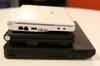
Stack of Linux
So in the end, like almost everything, you should go with what best suits your needs. But no matter what, it’s exciting that a very capable laptop in a sleek, ultraportable form factor can be had these days for 400 bucks. And with a little love, an older machine may now more than ever prove more useful to you than the greatest new thing. In that case. the electronics companies lose. You win. And in the end, there’s nothing more satisfying than that.