Make an instant-charge screwdriver
Bring a dead electric screwdriver back to life in seconds by adding quick-charging supercapacitors.
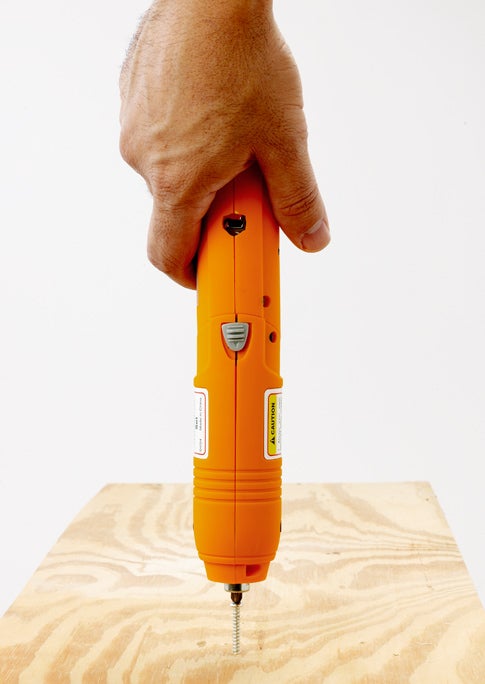
It’s the do-it-yourselfer’s version of Murphy’s Law: Every time you need to sink some tough screws, the battery in your cordless screwdriver is dead. So you do the only thing you can: plug the screwdriver into an outlet and endure the several hours it takes to recharge. But why wait all day? Replace those plodding rechargeable batteries with large-storage supercapacitors that power up via your computer’s USB port, and you can shorten recharge time to less than a minute and a half.
Supercaps both store and deliver energy quickly, so you won’t get nearly the endurance of a battery, but each charge will get you through a couple of screws—perfect for quick tightening jobs. Coleman now sells a fast-charge model that lasts a little longer, but our DIY version is half the cost. Now your only problem will be figuring out what to do with all that extra time on your hands.
H2WHOA! Before closing the screwdriver, check all connections with a multimeter while test-charging and discharging the capacitors. Modding a screwdriver in this way may void its warranty.
Stats
- Time: 5 hours
- Cost: $41
- Difficulty: moderate
Parts
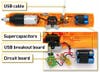
- 3.6-volt cordless rechargeable screwdriver (Harbor Freight Tools #91332; $13)
- Breakout board for USB mini-B (SparkFun Electronics #BOB-08401; $2)
- 4 super capacitor 10F, 2.5-volt (SparkFun Electronics #COM-00746; $5)
- Hookup wire (RadioShack #278-1223; $6)
Instructions
1. Open up the screwdriver and remove the battery pack.
2. Desolder the barrel-shaped charge connector and the battery connection clip from the screwdriver’s circuit board. Solder a red wire from the USB breakout board’s VCC conductor to the positive (+) pad on the circuit board, and a black wire between the GND connections of the two boards.
3. Connect two supercapacitors in series (positive lead of one soldered to negative lead of the other). Repeat with another pair. Then join the two sets together in parallel (positive to positive, negative to negative).
4. Solder the positive leads from your power pack to the two red wires from the switch and the circuit board, and the pack’s negative leads to the black wires.
5. Widen the charge port on the screwdriver case to make it large enough to accept a mini-B USB cable. Fasten the breakout board to the inside of the screwdriver. Line up the port with the opening, and reassemble the case.
6. Plug the screwdriver into a USB port on your computer. The red LED should glow; when it goes out, in about 90 seconds, the screwdriver is charged, and you’re good to go!
Enjoy your new “quick charge” screwdriver.
This story has been updated. It was originally featured in the February 2008 issue of Popular Science magazine.