A device that gives you reminders when you need them most
To activate it, just walk by.
This story has been updated. It was originally published on June 11, 2009 and involves outdated technologies. For current advice, check our regularly updated story about how to set phone reminders for anything, or learn how to use motion sensors.
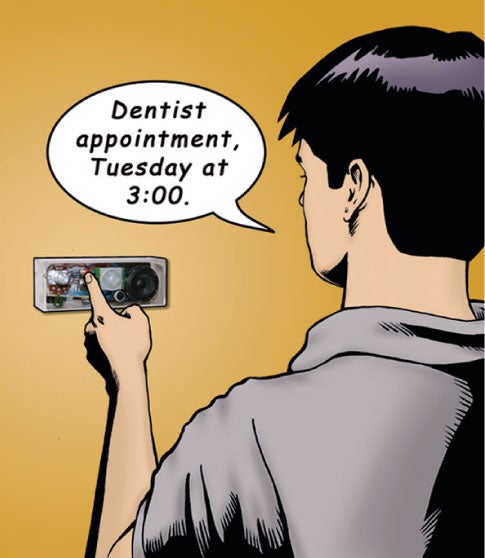
You’re late for work. As you hustle out the front door, the furthest thing from your mind is the afternoon’s dentist appointment that you’d scheduled last week. You’d have probably forgotten all about it—if you hadn’t thought ahead by programming a home-built device to give you a voice reminder as you pass it on your way out.
Just record your reminder on the device (“Dentist at 3 o’clock,” or “Pick up the kids at baseball practice”), set the timer for when you’ll need to hear it—up to a week in advance—and from the set time forward, it will play whenever you walk near the attached motion sensor. Sure beats having to remember everything yourself.
Parts
| Part | Part # | Source | Price |
| PIR sensor module | 276-033 | RadioShack | $9.99 |
| Recording module | 276-1323 | RadioShack | $10.79 |
| NPN transistor | 276-2016 | RadioShack | $0.79 |
| 0.0 uF cap, 50 volts | 272-1069 | RadioShack | $1.49 |
| SPST pushbutton, sw red | 26623 | Jameco.com | $0.66 |
| SPST pushbutton, sw black | 26649 | Jameco.com | $0.70 |
| Perforated board | 276-1395 | RadioShack | $2.79 |
| Wire wrap socket | 37411 | Jameco.com | $1.19 |
| LM555 integrated circuit | 27422 | Jameco.com | $0.29 |
| 1 farad capacitor | 142957 | Jameco.com | $4.49 |
| Knob | 162481 | Jameco.com | $1.49 |
| Pot 500K, with switch | 263848 | Jameco.com | $1.59 |
| 4-AAA battery holder | 216339 | Jameco.com | $1.55 |
| Acrylic butter dish | 104461 | ClearlyAcrylic.com | $7.95 |
| 1K resistor | 30BJ250-1.0K | Mouser.com | $0.22 |
| 470K resistor | 30bj250-470K | Mouser.com | $0.22 |
| 4.7M resistor | 66-RCO7GF475J | Mouser.com | $0.25 |
Instructions
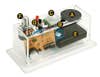
1. Drill holes in your chosen enclosure, following the drilling template. Glue the speaker [A], microphone [B] and motion sensor [C] to the enclosure. Mount the buttons [D] on the outside.
2. Build the timer circuit board, which lets you specify a time delay after which the message will be enabled. Calibrate the timer.
3. Connect the timer circuit board to the “play” wire from the record module, the “play” button, the power wires from the battery, and the sensor and record modules.
4. Move the switch on the battery holder [E] to the “on” position. Hold the red button to record a message, and press the black button to hear it. Turn the rotary dial [F] counterclockwise to the “off” position. Turn the dial clockwise to set the time delay, after which any movement in front of the sensor will trigger the message.