Make sure nobody will ever see your classified documents.
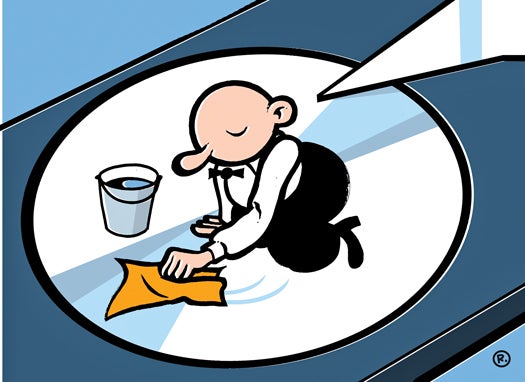
Wiped Clean Thilo Rothacker

Before you sell, donate, or recycle your old computer, beware: You may be handing personal information to strangers. Simply restoring the operating system to factory settings does not delete all data and neither does formatting the hard drive before reinstalling the OS.

To really wipe a drive clean, users will need to run secure-erase software. For Windows, the best bet is the command-line utility SDelete (free), which writes over the space on the drive. SDelete runs from any bootable disk or from the hard drive of another computer connected with a device such as the Universal Drive Adapter ($39.99). Linux users can try the Shred command, which overwrites files in a similar fashion.

On a Mac, the Erase command included with the Disk Utility application securely erases drive contents. As with SDelete, first delete files from the drive, then use the erase free space feature. It offers three options, from fastest, which writes zeros over unused disk space, to most secure, which overwrites the drive at least seven times. The middle setting is probably secure enough for most home users.

There is, of course, one other foolproof way to render data unrecoverable: Drill two to three holes with a quarter-inch drill bit through the drive platters.

Got a question? Send it to us at H20@popsci.com

19 Comments

I actually wrote a script that makes Shred a little more useful. It's written in Python, here's the code: https://snipt.net/dogstarchampion/massshred/

"...There is, of course, one other foolproof way to render data unrecoverable: Drill two to three holes with a quarter-inch drill bit through the drive platters..."

Or satisfy your own curiosity of what inside a hard drive and take it apart. Once you do get it apart, scratch, dent, bend, and beat the platters as to your heart’s desire. Once finished, toss it in a fire bin and cook for awhile, lol.

Though it's not free, I use Eraser from Easttec. It's been around since 2001! and it's faster then anything else i've tried. It also 'seems' more secure with a lot of erasing methods. Plus deletes all sort of temp files you don't even know existed.

You can drill holes in your drive or even take it apart, but then you can't donate it. I always give my old computer to friends and family and erasing the drive is the easiest solution.

I have used sever programs that can undelete files and restore partitions or formatting. But if you delete partitions and create them several times, format several times and just load files on and off the drive, it makes it impossible to retrieve old intelligent information from the hard drive for the average user. That's if you want to give away you old hard drive.

These are options any home user can do.

Always do the 7x overwrite never just 1, although 3 is really enough the 7 standard was created by the Dept of Defense who I guess likes to do things overkill.

Be careful when telling people to take out the platters and break them. The ceramic platters can shatter and cut your hand pretty good. That said, metal ones make great throwing stars if physical safety is not really your thing.

"...There is, of course, one other foolproof way to render data unrecoverable: Drill two to three holes with a quarter-inch drill bit through the drive platters..."

While cute this is wrong. Most anyone who knows how to undelete files and use your personal data in nefarious ways knows how to recover disk data from damaged platters. The fastest/easiest is simply pay someone who has the equipment, its not very expensive and widely used commercial services.

If you really want to manually erase data from a hard drive platter you have destroy the magnetic data imprints on the platter, since that is how the data is stored.

The disk-wipe utilities work very well by simply writing data over the top of free space (where your data was before). If you wondering WHY you need to overwrite more than once, which would have made a great science article... as our technology improves in the areas of nano-particles and viewing sub-atomic properties of materials, scientists have been able look at a dot (bit, 0/1) on a disk platter and see the history of what magnetic states there were. This technology is new and its very expensive, however it allows data techs to read previously deleted or over-written data. James Bond stuff indeed.

There is no reason to assume in 20 years you cant toss a hard drive platter under your $20 USB9 desk lamp nano particle reader and retrieve everything ever written to it.

@Vagabond - I'd give you $100 if you could recover anything (other than random 0's & 1's) off my Gutmanned SSD.

No one has mentioned the degausser. When I was working with mainframes and magnetic reels that's what we used to destroy sensitive information. It's basically just a big magnet powered by electricity.
Unfortunately it's a commercial device and probably would be too expensive for the home user.

i have a simpler solution, never keep anything on the computer that i wouldn't mind other people seeing. i might be a messed up individual but if enough people see this they'll all learn to stay out of my computer!

There is no such thing as "permanent delete"
You need to destroy the platters if you need to be sure.
That is why computers with sensitive information should not be donated.

Low tech solutions are always the best solutions to high tech problems. A DRILL and a Steel recycling blade....

Question: What sound does a snail make when you step on it?
Answer: Crunch....

Just need one thing for them all DBAN Derick's Boot &Nuke boot it up and do a complete wipe of any system that can boot off a cd. Meets DOD standards, clears any type of pc including macs, and a free opensource sourceforge project www.dban.org

Jellybelly,
The degausser is a great idea in a professional environment. I have used many of them, clearing off data from giant real tapes. This option though is not usually available for the home user. In the right setting, it is a great idea!

DoD level scrub i do for my brother 40 passes. not 7. he was head of supply at a local army base specializing in maintenance and when they got rid of old computers they wasn't required to wipe them but he thought it best to go ahead and wipe them so he'd call me in to do it. found all kinda of detail about all the machines the military uses. great source for intel for finding weak spots if it was in enemy hands. did the same thing for my other brother when he came back from iraq from 3 years with KBR. wouldnt have been impossible to retrieve any useable data but it would be extremely difficult.

@ Jellybelly & Robot ; Degaussers don't have to be big, or commercial. No one has believed me since I was a teenager and didn't know I wasn't supposed to be able to make one to fix my various friends and family's tv ion problems. It takes me about 2 hours or so to make one. They don't have what you'd call typical tunable range, being controlled by distance and angle only on the ones I've made so far.

quasi44,
If you find a high-powered transformer and rub it around a polarized magnetic surface, it will demagnetize it. Alternating current in a coil will degauss a magnetize surface.

Personally, I am a big fan of free. Many free programs can write zeros across a hard drive and then you can re-use it. In addition, if you do not want to re-use the hard device, beat the hell out of it with a hammer. ;)

To erase data permanently on disks with bad sectors or get high security degree in a short time, you need WBD(Wipe Bad Disk).

Hello thanks for the tips i also found this post it add more softwares that can be helpfull on the same situation
tech-tricks.net/6-programs-to-clear-or-erasewipe-data-from-the-hard-drive-before-selling/


June 2013: American Energy Independence

Five amazing, clean technologies that will set us free, in this month's energy-focused issue. Also: how to build a better bomb detector, the robotic toys that are raising your children, a human catapult, the world's smallest arcade, and much more.


Online Content Director: Suzanne LaBarre | Email
Senior Editor: Paul Adams | Email
Associate Editor: Dan Nosowitz | Email
Assistant Editor: Colin Lecher | Email
Assistant Editor: Rose Pastore | Email

Contributing Writers:
Rebecca Boyle | Email
Kelsey D. Atherton | Email
Francie Diep | Email
Shaunacy Ferro | Email

circ-top-header.gif
circ-cover.gif
bmxmag-ps