The best meat thermometers of 2023
Avoid incorrectly cooked steaks--and maybe food poisoning--with these precision instruments.
| Best overall |
|
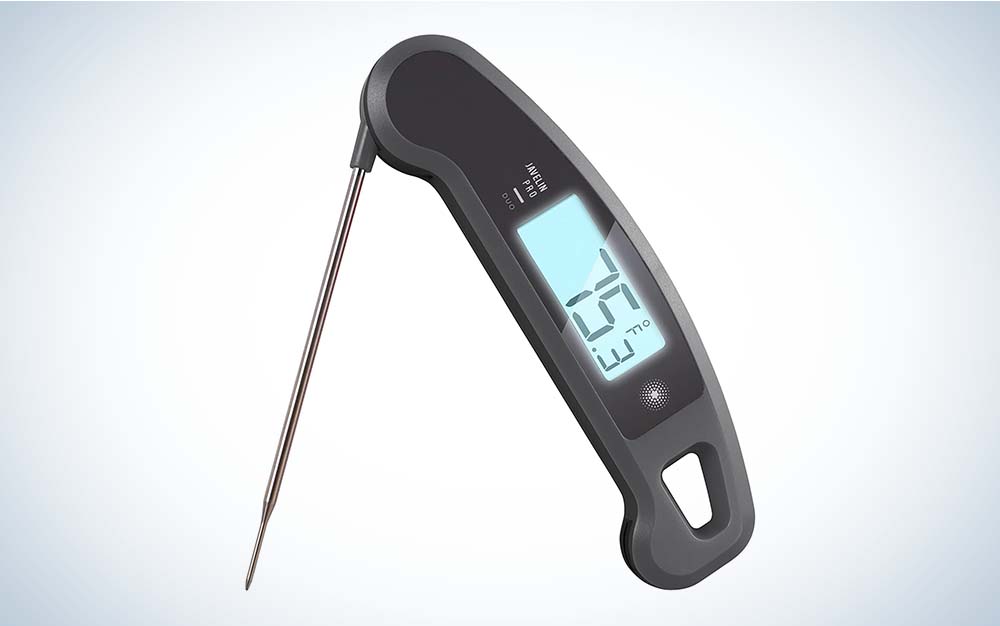
Lavatools Javelin PRO Duo Instant Read meat thermometer | SEE IT |
This instant-read thermometer also rotates for easy usage. |
|
| Best wireless |
|
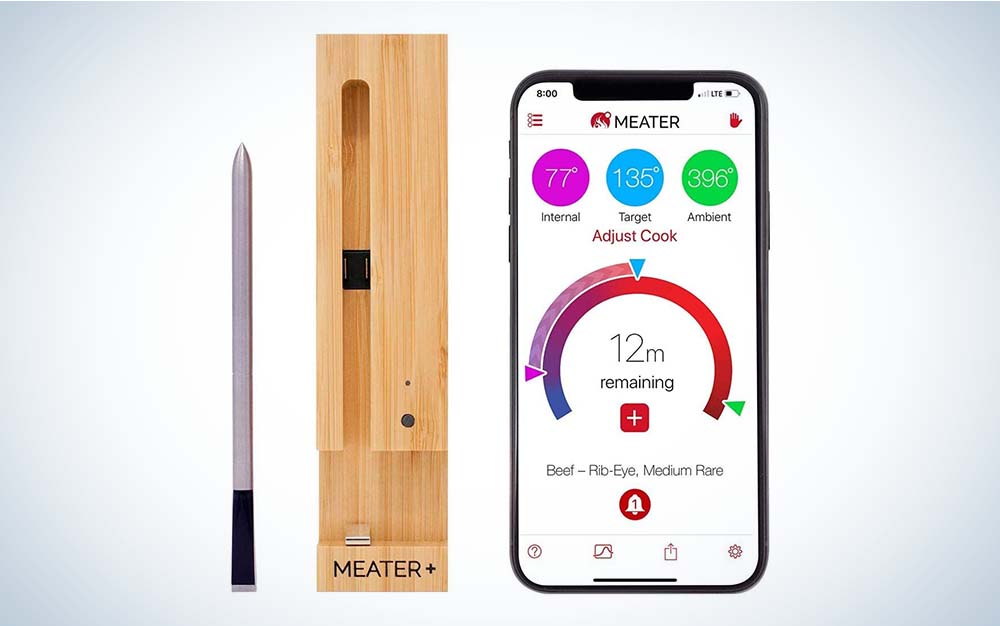
Meater Plus Smart Wireless Meat Thermometer | SEE IT |
This pick option lets you check the temperature of meat from your smartphone. |
|
| Best value |
|
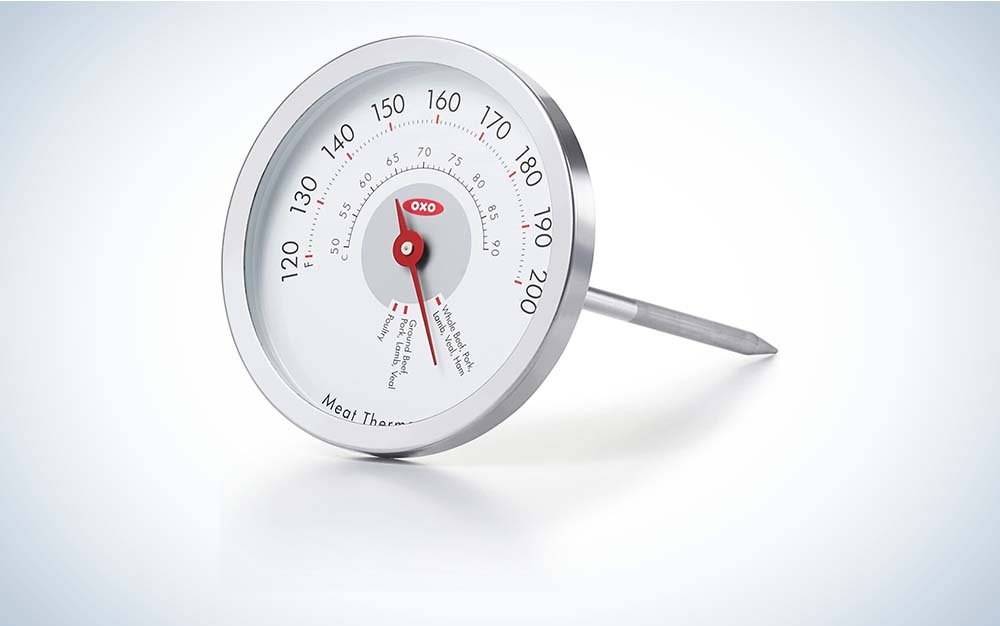
OXO Good Grips Chef's Precision Thermometer | SEE IT |
This easy-to-use analog model features suggested temps for various meats. |
We may earn revenue from the products available on this page and participate in affiliate programs. Learn more ›
A meat thermometer can be one of the most impactful tools to keep in your kitchen. If you don’t already have one, it’s a must. Meat is expensive and keeping close tabs on its temperature is the best way to give it the treatment it deserves. Most of the best meat thermometers are not too expensive, and they’re a great investment for all year round, for a couple of reasons.
For starters, they’ll let you cook your meat to precisely to the right temperature, just the way you or your guests like it. But the more important reason is that you can cook your meat to the recommended temperatures that kill diseases, like salmonella or E. coli. Owning and using a good quality meat thermometer can help save your family and friends from getting sick from food poisoning.
To help you find the best meat thermometer for you, we’ve put together this guide to let you know which ones are the best and why, along with advice on important features to look for or which ones you can ignore, along with some tips and other helpful advice.
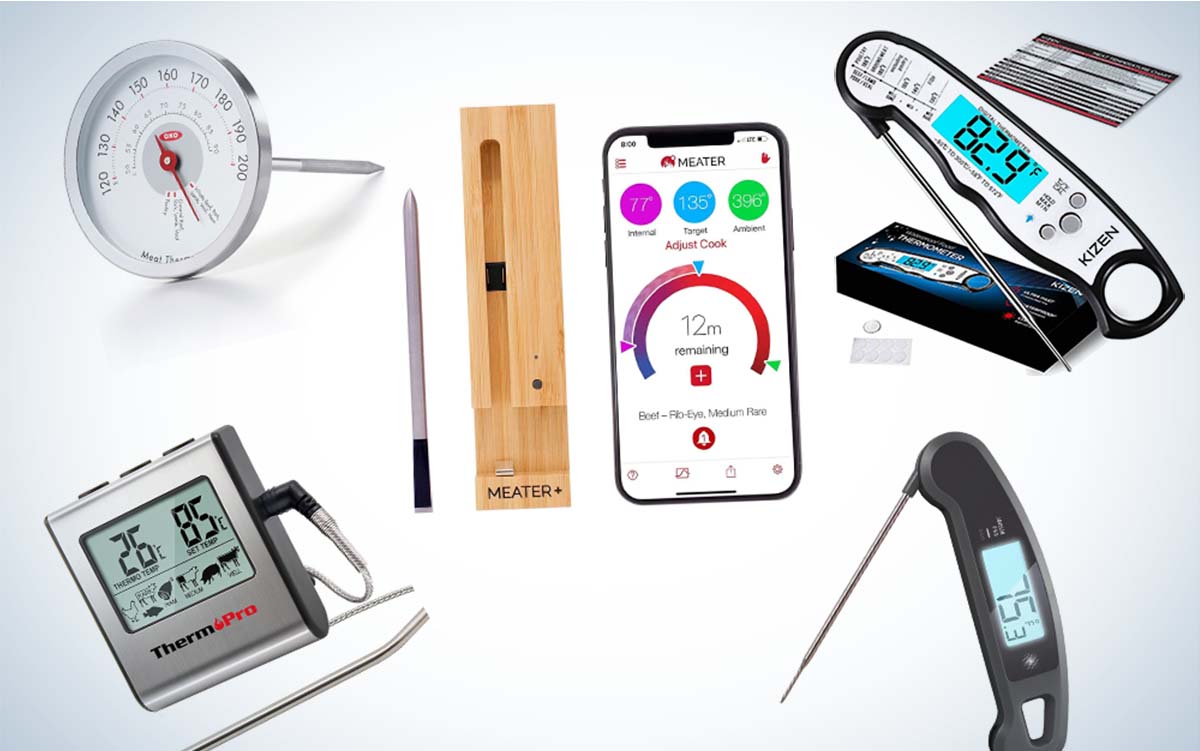
- Best overall: Lavatools Javelin PRO Duo Instant Read meat thermometer
- Best value: OXO Good Grips Chef’s Precision analog leave-in meat thermometer
- Best digital: Kizen Digital meat thermometer
- Best for oven: ThermoPro TP16 Leave-In digital meat thermometer
- Best wireless: Meater Plus Smart Wireless Meat Thermometer with Bluetooth
How we picked the best meat thermometers
To pick the best meat thermometers in this guide, we researched and chose from a variety of types, since there are a number of types available on the market. To begin, we looked at the variety of digital and analog (or non-digital) meat thermometers; in this guide you’ll find four digital models and one analog. The reason is that digital models offer more features and are more versatile than analog models.
Additionally, we selected three leave-in types of meat thermometers, which, as the name suggests, are meant to be left in the meat as you’re cooking it, over time. With these models, often it’s just part of the thermometer (metal probes) that are left inside the oven or grill. But we also selected two instant-read types of thermometers, since these are popular with many cooks. These models are not to be used inside the oven. The PopSci writers and staff have many combined years of grilling and cooking experience upon which to draw for these selections. We have collectively eaten lots of ribs.
The best meat thermometers: Reviews and recommendations
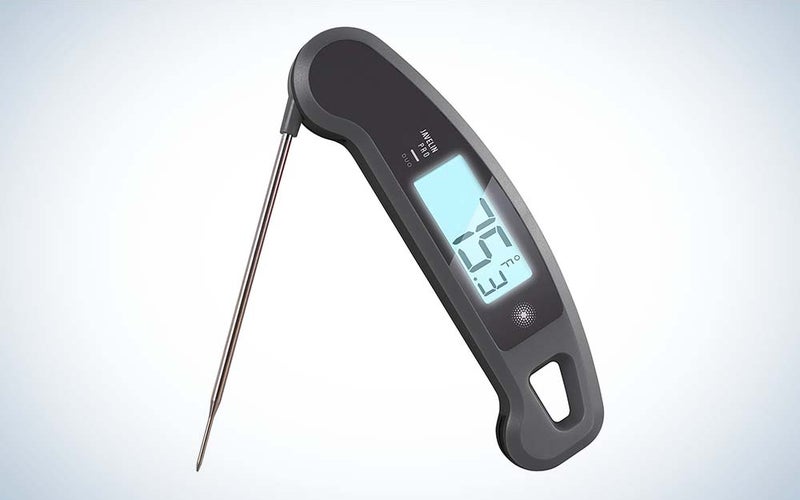
Best overall: Lavatools Javelin PRO Duo Instant Read meat thermometer
LavaTools
Why it made the cut: If you’re looking for an instant-read meat thermometer that doesn’t keep you waiting, this one may fit the bill.
Specs:
- Temperature range: -40~482 degrees Fahrenheit / -40°C~250 degrees Celsius
- Battery Life: +4,000 hours
- Probe length: 4.5 inches
Pros:
- Very responsive (1 to 3 seconds)
- Designed to read at almost any angle
- Easy-to-read display
- Comes with a long 4.5-inch probe
Cons:
- A bit pricey for an instant-read meat thermometer
- Lacks wireless capabilities
We chose this instant-read thermometer from Lavatools as our best overall, because for starters, it just doesn’t keep you waiting: This meat thermometer is very responsive, with a 1-to-3-second response time. But its results are accurate to within ±0.9 degrees F. We also like its large, two-inch, backlit display, which is very easy to read the temperature. It’s also capable of tracking maximum and minimum temperatures.
What’s also nice is that the reading auto-rotates, so that if you need to stick it into the meat from the other side, it’s still very readable. The Lavatools Javelin PRO Duo has a nice, fold-up design, to protect the probe, and it has an IP65 splash-proof rating, which makes it a waterproof thermometer. The thermometer also comes in eight different colors and has a magnet on the back so you can slap it onto the fridge or the side of the grill when you’re not cooking.
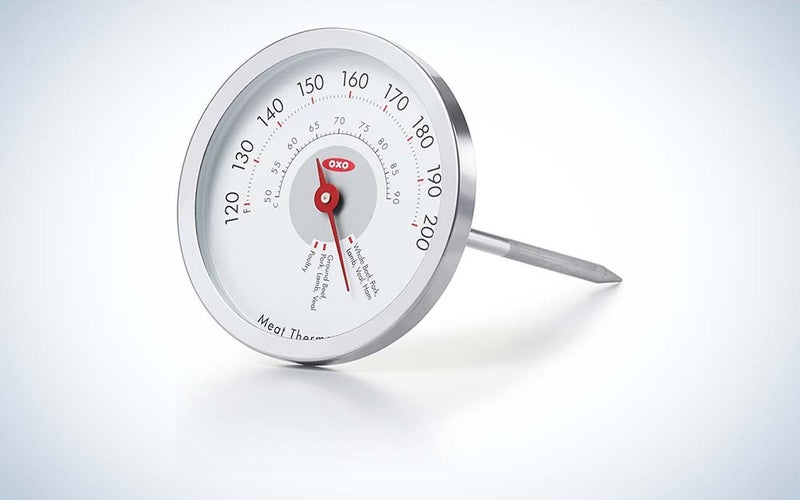
Best value: OXO Good Grips Chef’s Precision analog leave-in meat thermometer
OXO Good Grips
Why it made the cut: If you’re cooking basic meals and don’t need a meat thermometers with lots of extra features, this analog leave-in model will provide you with accurate readings
Specs:
- Temperature range: 120 degrees F~200 degrees F / 50~90 degrees Celsius
- Probe length: 4.5 inches
- Markings are in both Fahrenheit and Celsius
Pros:
- Inexpensive
- Markings are large and easy to read
- No batteries to change
Cons:
- Narrow temperature range
- Fewer features than most models
If you don’t want to spend a lot of money, and that includes spending money on replacing a battery for your meat thermometer, you might find that this analog dial-style OXO Good Grips Chef’s Precision leave-in meat thermometer is an ideal choice.
It’s designed specifically for ease of use: For instance, part of the probe is shaded so you can tell exactly how far to insert it into the meat to get your temperature reading. Also, the cover of the probe cover comes with suggested temperature readings for cooking beef, lamb, ground meat, and pork medium rare, medium, or well done, as well as readings for fresh and pre-cooked ham and poultry (thigh or breast).
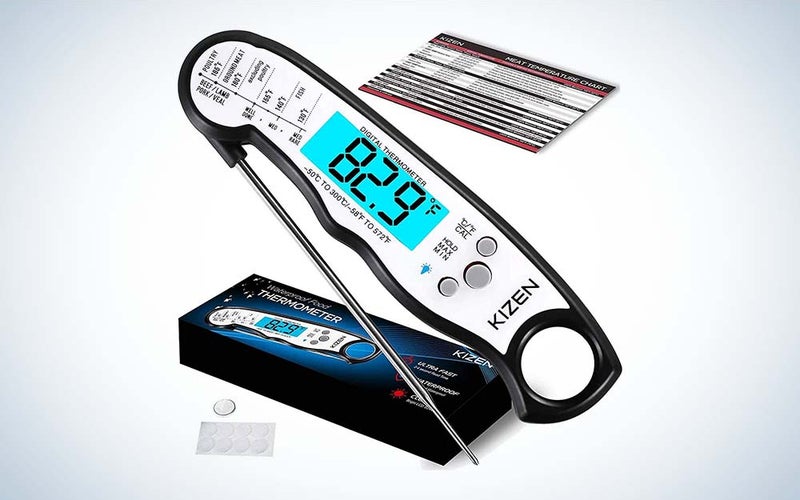
Best digital: Kizen Digital meat thermometer
Kizen
Why it made the cut: What’s nice about this Kizen instant-read model is that because it’s waterproof, it easier to clean
Specs:
- Temperature range: -58 degrees F to 572 degrees F
- Uses one CR2032 battery (two are included in the box)
- Waterproof
Pros:
- Inexpensive
- Waterproof
- Display automatically shuts off after ten minutes
Cons:
- A little slow
- Lacks wireless capabilities
This budget-priced instant-read thermometer from Kizen has a fold-up design, which offers some protection to the probe, and a large, easy-to-read LCD. The display also automatically shuts off after 10 minutes, to conserve battery life.
Next to the LCD, there are buttons that let you quickly change between Celsius and Fahrenheit. It does have an IP67 rating, which makes it waterproof and means you can clean it under running water. (However it’s not dishwasher safe.) This thermometer also includes a handy temperature guide, which is printed right on the unit. It also includes adhesive Velcro pads, so you can store the thermometer just about anywhere. It’s powered by one CR2032 battery, but it comes with two of these batteries in the box.
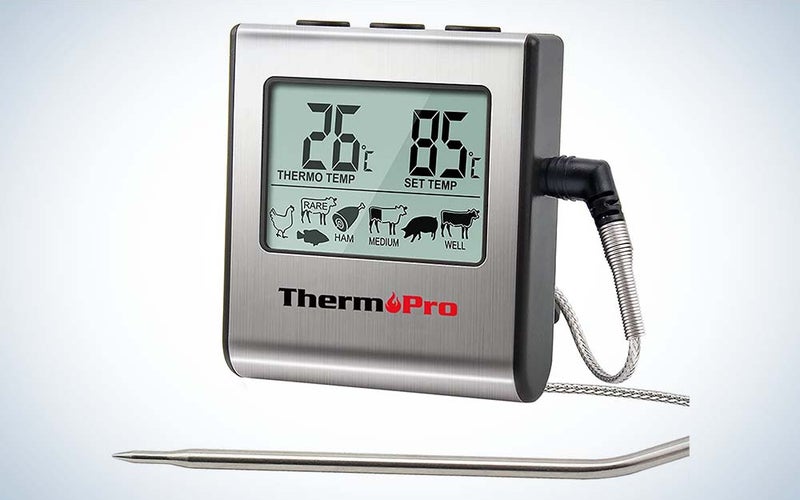
Best for oven: ThermoPro TP16 Leave-In digital meat thermometer
ThermoPro
Why it made the cut: Although it’s inexpensive, this ThermoPro leave-in meat thermometer offers versatile features that can be helpful when you cook your meals.
Specs:
- Temperature range: 32 to 572 degrees F
- Can withstand temperatures as high as 716 degrees F
- Powered by one AAA battery (included)
Pros:
- Inexpensive
- Can withstand ovens as hot as 716 degrees F
- Comes with temperature presets
- Includes multifunction time and alarm function
Cons:
- Lacks wireless capabilities
Although it’s inexpensive, this in-oven, leave-in meat thermometer from Thermapro provides you with various presets for cooking different types of meat. It also gives you the option of entering a temperature manually. You can also program alerts to coincide with these preset temperatures, and there’s a digital kitchen timer, which lets you countdown (or count up) from 99 hours and 59 minutes. It has a wide temperature range, too from 32 to 572 degrees F (or 0 C to 300 degrees C)
This thermometer is also quite durable: It comes with a 40-inch, stainless-steel, mesh cable and a 6.5-inch food-grade stainless steel probe, which is inserted into the meat. It also has a magnetic back, which lets you attach it to a refrigerator or any metal surface. Plus, it includes an alarm.
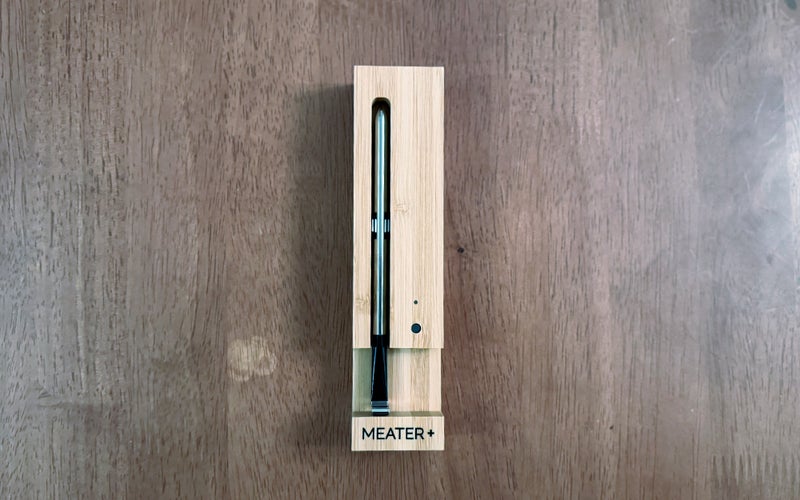
Best wireless: Meater Plus Smart Wireless Meat Thermometer with Bluetooth
Brandt Ranj / Popular Science
Why it made the cut: Great for those who like wireless technology and like to control the cooking process via a mobile app.
Specs:
- Temperature range: The probe can measure the internal meat temperature up to 212 degrees F and an ambient or external temperature of up to 52 degrees F simultaneously.
- Connectivity: Bluetooth
- Requires one AAA battery
Pros:
- Easy to set up
- Allows you to set up alerts via a mobile app on your phone
- Powered by AAA battery
- Nicely designed app
Cons:
- Pricey
- You’ll need to use it with your mobile device, like your phone
If you really like to use mobile technology and IoT-type devices, then you might consider the Meater Plus Smart meat thermometer. There’s a lot to like: The Meater Plus meat thermometer has a range of 165 feet and connects your phone and the Meater Plus probe, which you’ve inserted into the meat, via Bluetooth.
That gives you the freedom of being able to walk away from the kitchen, and then check on the temperature simply by simply checking the mobile app on your phone (the app is compatible with iOS and Android). Of course, the company assumes you own a smartphone, since one doesn’t come with this meat thermometer.
Things to consider when buying the best meat thermometers
Once you decide to purchase a good quality meat thermometer, you’ll find that there are many models available. Use this guide to help you find the one that’s right for your needs. Here are some factors to consider before making your purchase:
Cost
Most meat thermometers cost between the price of a fast food burger meal and the finest A5 Wagyu steak around. In most cases, you don’t need to pay a lot for one unless you want to spring for a ton of advanced features that you honestly probably won’t use all that often.
Type of thermometer
Meat thermometers come in two types: Instant-read and Leave-in. Additionally, each of these types come in digital or analog (dial) versions.
Instant-read meat thermometers: Since these remain in the meat during cooking, you’ll want to insert them into the meat near the end of the approximate cooking time. (For best results, check the temperature in several spots on the meat.) By and large, the digital types are quite responsive and accurate. They’re also, in general, relatively easy to use. You’ll find analog or dial meat thermometers, although some find them a bit difficult to read and they weren’t as responsive as the digital instant-read models.
Leave-in meat thermometers: Leave-in models, which are designed to be left in the meat during cooking, often come with the most features, including alarms and built-in timers. One advantage to this type of thermometer is that you don’t need to open the oven door to get a temperature reading, since opening the oven door could alter the temperature.
Most digital models have a cord that connects the metal probe (which is stuck into the meat) to the main unit, where you can read the temperature on a digital readout, outside of the oven or grill. There are also a variety of wireless models, which let you keep an eye on the temperature, even if you’re not near the oven or grill. Many will use a smartphone app to let you access the temperature.
Like instant-read models, leave-in meat thermometers also come in analog or dial versions, which can be left in the meat as it cooks. Both digital and analog leave-in meat thermometers can also be used as an instant-read thermometer.
Additional features
Although you won’t find many added features on analog models, you will see them on digital versions. However, those added features may mean you’ll pay more for a meat thermometer.
Here’s are some features to look for:
Timers and alerts: Many digital meat thermometers include timers, which let you set how long you want to cook the meat, and an audible alert or alarm, which goes off when the meat has reached a specific temperature.
Sensitivity: Some models are very sensitive and will display the temperature to a tenth of a degree.
Temperature range: Most models have a high temperature limit over 550 degrees F. But if you plan on cooking at high temperatures, such as deep frying, consider buying a model that can withstand very high heats (up to 700 F).
Smart features: Some digital meat thermometers allow you to monitor the temperature via a mobile app on your phone.
Auto shutoff: This feature will turn your model off, which helps save battery life.
FAQs
Q: Are digital meat thermometers better than analog?
Most quality meat thermometers are fairly accurate (no more than 5 degrees off). However, many pros indicate that digital models are generally more accurate and perform better than analog models. Digital thermometers are also much easier to read.
Q: Why do you need to use a meat thermometer?
It’s important to use a meat thermometer when cooking, since it’s the only way to ensure that food is cooked to the proper internal temperature, which means that you’ve killed any harmful bacteria. Even beyond keeping you safe, it will allow you to take control over your cooking process and get the best possible texture and flavor out of any cut of meat.
Q: What meat thermometers do most chefs use
?According to various reports, expert chefs often use instant-read thermometers because you can use them to test the temperature of meat quickly. Oftentimes, they can also be used on grills or on the stovetop. What’s also important to know is that almost all expert chefs use thermometers–they don’t go by instinct!
Final thoughts on the best meat thermometers
Whether you’re getting ready to celebrate the holidays with a big group of friends and family, or you’re just looking to cook for your immediate family, remember that having a good quality meat thermometer isn’t just about cooking meat the way your guests like it. It’s also about keeping them, and yourself, safe and healthy, since cooking your beef, chicken, or other main courses correctly means killing harmful bugs and bacteria that can cause food poisoning.
It’s important to use a meat thermometer, even when celebrities or famous chefs are not shown using them on television. In fact, more than 48 million people in the United States become sick due to foodborne illnesses each year, with 128,000 requiring hospitalization and 3,000 dying, according to the U.S. Centers for Disease Control and Prevention. To avoid having your guests, or yourself, become such a statistic, buy a meat thermometer.