How to Make a Quick Metal Laptop Stand
We may earn revenue from the products available on this page and participate in affiliate programs. Learn more › Laptop...
We may earn revenue from the products available on this page and participate in affiliate programs. Learn more ›
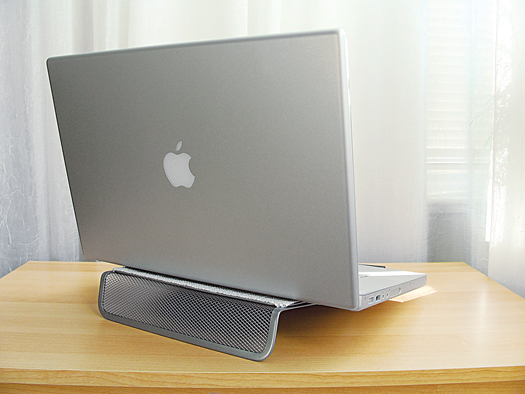
Laptop stands keep your computer cool, ventilated, and at a comfortable angle for typing, but they often seem expensive for what’s essentially a bent piece of metal. Here’s how to make your own easy and inexpensive stand from a metallic document holder, requiring only a few steps.

Metal Laptop Stand: Tools
1. Bend the long sides of a metal mesh document holder so that one is lying flush on top of the other.
2. Cut two blocks of rubber, and glue them onto the end of the top side of the document holder. Next, attach three strips of 1.5-inch-wide shelf liner to the edges of that side of the document holder with double-sided tape. This will prevent the laptop from slipping and getting scratched.
Metal Laptop Stand Stands Alone
3. Place the stand on a desk with the rubber blocks and the shelf liner face-up, and put your laptop on it. For more details on the project, search for “metallic laptop stand” on instructables.com.