Get More Life From Your Li-ions
A few DIY tricks and must-read resources for making your lithium-based laptop batteries last
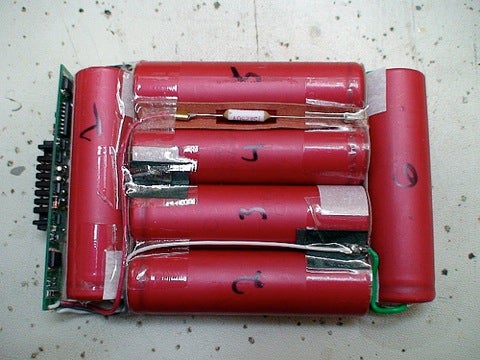
We may earn revenue from the products available on this page and participate in affiliate programs. Learn more ›
I’m not sure what sparked my battery obsession. Perhaps it was the installation of 3,000 lbs of lead-acid batteries used to power my homestead. Shortly after that, I found myself zapping old Ni-CD based battery packs with a welder to bring the once-dead batteries back to life. Then I began repacking the cells of other household items, including my iRobot vac and my Macbook. Now I regularly visit a local auto supply, combing through batteries for signs of life. My office is littered with a hodge-podge of Ni-CD, lead-acid and lithium-based cells that are patiently awaiting repairs and a new purpose.
Here’s what I’ve learned about keeping batteries in shape, and rehabbing old ones from the junk heap.
Whenever I want to learn more about a particular battery chemistry, I refer to this book “Batteries in a Portable World.” You can pickup a print version on Amazon for $4.75. The book is also available for free on-line. It contains a wealth of information.
For example, one of the keys to maximizing any battery’s potential is maintaining the right charge levels and temperatures. Storing a lithium-ion battery at a too-warm 77°F with a full charge will reduce the capacity by 20 percent in the first year alone. (This has to make you wonder how the lithium-ion battery packs in the new Tesla Roadster will fair over time.)
Here are a few more tips for getting the longest life from the lithium-based batteries in your laptops and power tools:
- Avoid heat
- Remove the battery when using a power supply for a extended duration
- When not in use, store the battery at a 40 percent charge and keep it in the refrigerator (do not freeze)
- Buy fresh batteries from a retailer who sells a lot of batteries (avoid old batteries)
- A full discharge after every 30 charges will help recalibrate the battery